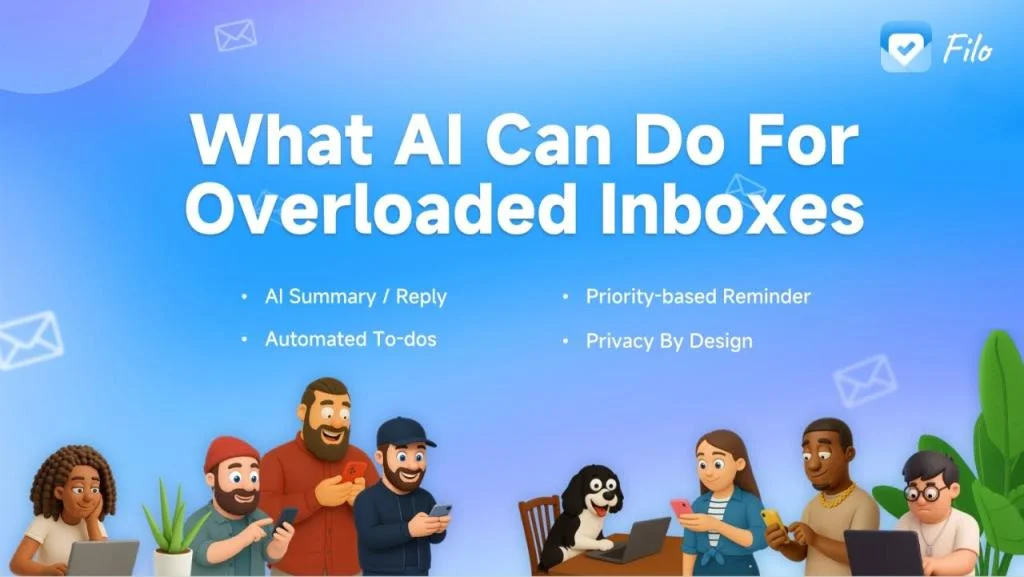
Understanding the Challenge of Email Overwhelm in Corporate Environments
The Volume and Variety of Corporate Emails
In today’s corporate world, email inboxes are flooded with a diverse array of messages. From client communications and invoice notifications to approval requests and scheduling details, the sheer volume can quickly become unmanageable. Many professionals find their inbox acting as a catch-all repository, housing not only critical work items but also personal logistics and less relevant updates. This creates a complex environment where distinguishing priority emails from noise becomes a daily challenge.
Impact of Email Overload on Productivity and Stress
The constant barrage of emails doesn’t just slow down workflows; it fragments attention and fuels mental exhaustion. Employees spend precious time rereading long email threads just to regain context, which drains focus and energy. Deadlines hidden deep within messages add to this cognitive load, increasing stress and delaying crucial decisions. Moreover, frequent interruptions from incoming emails shift workers into reactive mode, turning the inbox into a default workspace. This environment fosters context switching exhaustion and extends small tasks into prolonged work sessions, ultimately reducing overall productivity.
How AI Can Transform Email Management
Overview of AI Technologies in Email Filtering
Artificial intelligence is rapidly reshaping how we handle email by introducing automation and smart filtering capabilities. AI-powered tools analyze incoming messages in real time, automatically sorting and prioritizing emails based on their content, sender, and past interactions. This reduces the need for manual triage and helps users focus on what truly matters. Instead of drowning in a sea of unread messages, employees can rely on AI to highlight relevant communications and streamline their daily email routine.
Machine Learning Algorithms for Email Prioritization

At the core of AI email management are machine learning algorithms that continuously learn from user behavior and preferences. These algorithms identify patterns in email interactions, sender importance, and message urgency to predict which emails require immediate attention. Over time, the system adapts, refining its categorizations and boosting efficiency. This dynamic prioritization reduces delays in responses and improves workflow by ensuring critical emails don’t slip through the cracks, even as volumes fluctuate.
Key Features of AI-Powered Email Prioritization Tools
Smart Categorization and Tagging
One of the standout features of AI email tools is their ability to automatically classify emails into meaningful categories. Rather than a chaotic inbox, users see emails grouped into sections like informational messages, those requiring replies, action items, or scheduling needs. This targeted approach keeps inboxes focused on active work while archiving or filtering out less relevant content. This organization eliminates the mental clutter that comes with sifting through unrelated emails.
Contextual Analysis and Predictive Importance
AI tools go beyond simple filtering by analyzing the context within emails to extract key details. They summarize long email threads, highlighting decisions, updates, and action points so users can regain context without endless rereading. These systems also identify deadlines and commitments embedded in messages, prompting users to convert them into calendar events or task reminders. This predictive insight ensures important information is surfaced promptly and acted upon effectively.
Adaptive Learning from User Behavior
Effective AI email solutions continuously learn from how individuals interact with their inboxes. By monitoring which emails get prioritized or ignored, the system fine-tunes its algorithms to reflect personal preferences and workflow habits. This adaptive learning creates a more personalized experience, helping to reduce email overload tailored to each user’s unique context. The smarter the system becomes, the less effort users need to spend managing their inboxes manually.
Implementing AI Solutions in Corporate Email Systems
Integration with Existing Email Platforms
Seamless integration with platforms like Outlook and Microsoft 365 is critical for AI email solutions to gain traction in corporate settings. Built-in AI assistants such as Copilot transform the inbox into a command center, enabling users to categorize emails, generate replies, and convert messages into tasks without switching applications. This unified experience safeguards sensitive data, avoids platform-hopping, and streamlines workflows by connecting email, calendar, and task management within a familiar environment.
Change Management and Employee Training
Introducing AI tools calls for thoughtful change management to ensure adoption and success. Employees need guidance on balancing AI automation with manual oversight to prevent overreliance and missed context. Training should cover best practices like prompting AI for summaries, extracting action items, and verifying deadlines. Organizations must also address privacy concerns and set policies to use AI effectively, especially when handling sensitive information. Empowering employees with knowledge fosters confidence and maximizes the benefits of AI-driven email prioritization.
Case Studies: Success Stories of AI Email Prioritization
Large Enterprises Cutting Response Times
Several global corporations have reported significant reductions in email response times after deploying AI-powered inbox tools. By automating email triage and highlighting urgent messages, teams are able to act swiftly on client inquiries, approvals, and opportunities. This not only improves customer satisfaction but also accelerates internal decision-making. Executives appreciate how AI helps them maintain focus by delivering concise email summaries and actionable insights, enabling more strategic use of their time.
SMEs Improving Team Collaboration
Small and medium-sized enterprises have also benefited by using AI to enhance transparency and collaboration through better email management. By categorizing emails into workflow stages and extracting responsibilities, teams gain clarity on next steps without chasing lengthy threads or lost messages. AI-generated drafts support faster, more consistent communication, allowing employees to maintain professionalism and reduce email-related stress. The result is a more coordinated and productive work environment where inbox overwhelm is no longer a barrier.
Measuring the Impact of AI on Inbox Management
Metrics for Email Overwhelm Reduction
To understand the effectiveness of AI in reducing email overload, organizations track various metrics such as inbox size, average email response time, and the number of unread or unattended messages. A decrease in repeated rereading of threads and fewer missed deadlines also indicate progress. Monitoring AI-driven automation rates and user engagement with AI-generated summaries helps refine deployment strategies. These data points provide a clear picture of how AI tools transform email management from reactive chaos to proactive control.
Enhanced Employee Efficiency and Well-being
Beyond numbers, the intangible benefits of AI-powered email prioritization include improved employee well-being and focus. By minimizing context switching and reducing mental clutter, workers experience less stress and fatigue. Time saved on sorting and replying to routine emails can be redirected toward creative and strategic tasks. This positive shift not only boosts productivity but also fosters a healthier work-life balance, ultimately contributing to a more engaged and motivated workforce.