Understanding Voice-Controlled Lighting Technology
What Is Voice-Controlled Lighting?
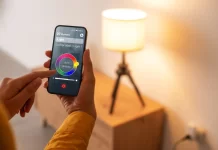
Voice-controlled lighting refers to smart lighting systems that you operate using spoken commands. Instead of toggling switches manually, these systems allow you to adjust brightness, change colors, or switch lights on and off with simple voice instructions. This technology leverages smart bulbs, hubs, and voice assistants to create an interconnected and user-friendly lighting environment.
The system integrates hardware such as smart bulbs that communicate via protocols like Zigbee, often requiring a hub or bridge for control. Voice recognition advances have made these systems increasingly reliable, allowing for a hands-free experience that enhances everyday convenience.
Benefits of Smart Lighting Systems
Many homeowners seek voice-controlled lighting to address demands for convenience and energy efficiency. This technology helps reduce the effort of managing multiple lights, making daily routines smoother, especially for those with busy lifestyles or mobility challenges. By setting timers and schedules, users can optimize energy consumption and even simulate occupancy to deter potential intruders, enhancing home security.
Moreover, smart lighting promotes environmental sustainability by minimizing unnecessary power usage. It also boosts accessibility since users can control lights without physical interaction, an essential feature for individuals needing enhanced home support.
Common Voice Assistants Compatible with Smart Lights
The most popular voice assistants that pair with smart lighting are Amazon Alexa, Google Assistant, and Apple HomeKit’s Siri. Each platform has different compatibilities and usability features. For example, Amazon Alexa and Google Assistant support a broad range of devices and brands, offering flexible voice control. Apple HomeKit focuses on privacy and security but supports fewer devices and typically requires higher-cost bulbs.
Choosing an assistant that aligns with your existing smart home ecosystem and preferred use cases is crucial. Compatibility influences ease of installation, control options, and the overall user experience.
Choosing the Right Voice-Controlled Lighting for Your Home
Types of Smart Bulbs and Fixtures
The market offers a variety of smart bulbs including basic white bulbs with adjustable brightness, bulbs with color temperature control, and fully color-changing bulbs. While fully color-changing bulbs provide the most versatility, they come at a premium and may not be necessary for users focused on practical daily lighting.
In addition to bulbs, smart switches can retrofit existing fixtures for voice activation, ideal for those who want to maintain their current lighting hardware. However, switches often require more complex wiring and setup.
Key Features to Look For
When selecting devices, focus on compatibility with your chosen voice assistant, ease of setup, and control capabilities such as dimming, color adjustment, and scheduling. Security is another vital feature; smart lights should support encryption and other protective measures to defend against cyber vulnerabilities.
Some bulbs come with a built-in hub (such as certain Apple HomeKit-enabled bulbs), removing the need for additional bridge devices and simplifying installation. Conversely, systems like Philips Hue rely on separate bridges, offering full device access and more robust features.
Budget Considerations and Brands Comparison
Costs vary widely depending on brand, features, and lighting types. Fully color-changing bulbs are the most expensive, so if you only need basic functionality, opt for white or color temperature adjustable bulbs to save money. Bundling purchases during sales or buying in bulk can also reduce expenses.
Brands such as Philips Hue provide established ecosystems but can be pricier. Samsung SmartThings offers broader compatibility across products but might require more setup effort. Apple HomeKit favors privacy and simplicity but with higher bulb costs and fewer product options.
Step 1: Preparing Your Home for Installation
Assessing Existing Electrical Infrastructure
Before installing smart lighting, evaluate your current electrical setup. Identify fixtures and switches suitable for replacement or integration with smart devices. Ensure your home’s Wi-Fi network is reliable and strong enough to support multiple smart devices without dead zones.
Understanding whether your smart bulbs require a hub or bridge is critical since some products need Zigbee hubs, which your phone or router cannot substitute. Planning the placement of these hubs to optimize connectivity will streamline the installation process.
Gathering Necessary Tools and Equipment
Prepare tools such as screwdrivers, ladders, and wire strippers if installing smart switches. Gather all devices including bulbs, hubs, and your smartphone. Also, consider any necessary apps and ensure you have account access for voice assistants like Alexa or Google Assistant.
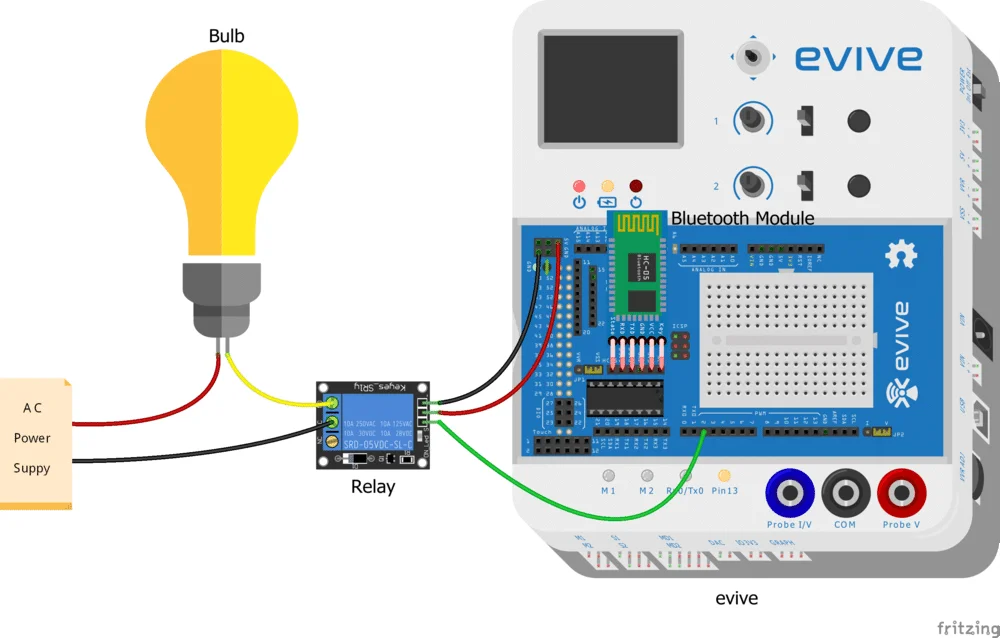
Having everything ready avoids interruptions and prevents mistakes like mixing incompatible brands or forgetting hub components, which can complicate setup and cause frustration.
Step 2: Installing Your Voice-Controlled Lighting
Smart Bulb Installation Instructions
Installing smart bulbs is generally straightforward. Turn off the light fixture, remove the existing bulb, and screw in the smart bulb. Power the fixture back on, then proceed to connect the bulb to its corresponding app or hub.
Some bulbs, like the Sengled Element Plus, may require manual resetting using specific switch toggling sequences. Familiarize yourself with the bulb’s manual to avoid unnecessary troubleshooting later. Avoid assuming all bulbs behave the same during setup.
Setting Up Smart Switches
Installing smart switches involves removing your old switch and wiring in the new device. This process demands caution and might require professional help if you’re unfamiliar with home electrical systems.
Once wired, configure the switch through its app or hub, linking it to your voice assistant. Be aware that smart switches may not work well if mixed with certain bulb brands or hubs, so check compatibility beforehand to prevent complex issues.
Step 3: Configuring Your Voice Assistant
Connecting Smart Lights to Your Network
For seamless voice control, connect your smart lights to your home Wi-Fi or the appropriate hub. Using apps like Philips Hue or SmartThings, assign bulbs to specific rooms and create groupings to simplify voice commands. This configuration enhances convenience and organization.
Bridge devices like the Philips Hue bridge act as intermediaries, enabling full feature access. Without them, some bulbs might have limited functionality or erratic response times.
Integrating with Alexa, Google Assistant, or Siri
Link your smart lighting system to your preferred voice assistant by enabling the relevant skills or services in the assistant’s app. Once connected, you can control individual lights or groups using simple commands.
Note that Apple HomeKit integration often requires bulbs with built-in bridge hardware, avoiding external hubs but at potentially higher costs. Choose integration based on your ecosystem and budget.
Creating Voice Commands and Routines
Configure custom voice commands and routines that match your lifestyle. For example, you can set “Good Morning” to gradually brighten lights or “Movie Time” to dim them. These automations increase your system’s usefulness and make voice control more intuitive.
Utilizing voice-controlled timers for turning lights on and off enhances security and energy savings without manual intervention.
Troubleshooting Common Setup Issues
Connectivity Problems
Connectivity issues often arise due to weak Wi-Fi signals, hub placement, or device incompatibility. Placing hubs centrally and avoiding physical obstructions can improve performance. Sometimes, devices need factory resets to resolve communication problems. Be cautious when resetting bulbs, as improper procedures can prolong setup.
Remember that smart bulbs using Zigbee cannot connect directly via Wi-Fi, so expecting direct phone communication without a hub is a common mistake leading to frustration.
Voice Recognition Errors
Voice assistants can misinterpret commands, especially in noisy environments or if the wake word is unclear. Training your assistant to recognize your voice and using concise commands helps improve accuracy.
Check that your devices’ firmware and apps are updated regularly to maintain compatibility and fix bugs affecting voice control responsiveness.
Enhancing Your Smart Lighting Experience
Automating with Schedules and Scenes
Setting up schedules and scenes maximizes convenience and efficiency. For instance, scheduling lights to turn off automatically before bedtime conserves energy, while preset scenes can create ambiance for different activities such as reading or entertaining guests.
Personalizing these settings to fit your daily routine brings the most value from your investment, transforming basic lighting into a smart home feature that adapts to your needs.
Energy Efficiency Tips with Smart Lighting
Utilize timers and occupancy simulations to ensure lights are only on when necessary, reducing electrical waste and lowering utility bills. Choose bulbs that allow adjusting brightness and color temperature to suit different times of day, minimizing excessive power use.
Avoid unnecessary purchase of fully color-changing bulbs if you don’t need color effects, as this helps manage costs while maintaining functional lighting.