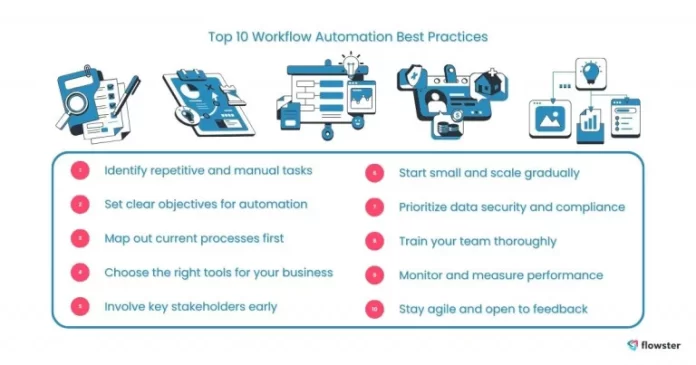

Understanding Workflow Software and Its Importance for Small Businesses
Definition and Core Features of Workflow Automation Tools
Workflow automation software is designed to streamline and automate repetitive tasks that small businesses often face. At its core, this type of software allows businesses to create predefined sequences—known as workflows—that automatically trigger certain actions based on specific events. These actions might include sending emails, updating customer records, routing approvals, or generating invoices. Tools vary in complexity from simple no-code platforms to more advanced systems that integrate AI-powered decision-making and provide developer controls.
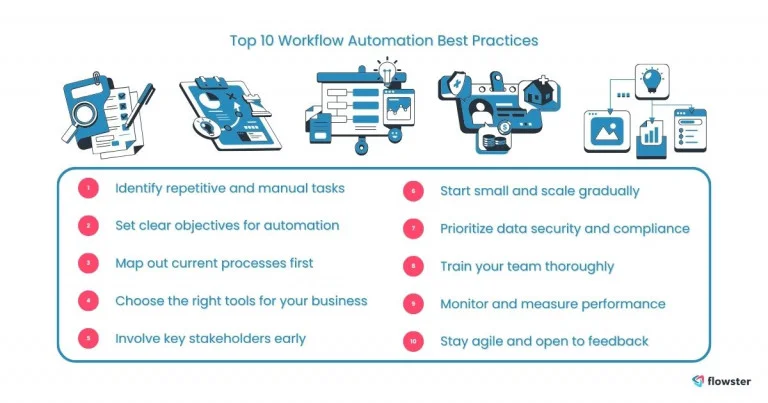
Key features usually include customizable triggers, task routing, integration with popular business apps like CRMs and accounting software, and the ability to monitor performance. The goal is to reduce manual effort, minimize errors, and free up time for higher-value activities. For small businesses juggling multiple roles simultaneously, workflow automation can be a game changer by turning tedious manual processes into efficient systems.
The Growing Need for Automation in Small Business Operations
Small business owners frequently handle everything from sales and marketing to customer support and accounting. Many rely on informal processes like emails, spreadsheets, or sticky notes, which work fine at first but become overwhelming as the business grows. This informal approach leads to manual busywork that drains time and increases error risk, ultimately slowing down operations and inflating labor costs without improving margins.
As demand rises, the lack of automation becomes a bottleneck, preventing businesses from keeping pace with larger competitors who have already embraced these technologies. Daily routine tasks—like following up on leads, processing invoices, or entering sales data—can steal countless hours that would be better spent on strategic growth areas. Workflow automation addresses these pain points by creating reliable, scalable processes that streamline operations and cut down on costly manual interventions.
Identifying Routine Tasks Ideal for Automation
Common Repetitive Tasks in Small Business Environments
Before jumping into automation, it’s important to pinpoint the tasks that consume the most time and have a clear pattern. Routine activities like sending follow-up emails, scheduling appointments, and processing invoices are prime candidates. Other examples include onboarding new clients, handling vendor paperwork such as NDAs, managing approval workflows within departments, and routine HR tasks like distributing documents and setting up orientation meetings.
These repetitive tasks often follow predictable steps, making them suitable for automation tools that can trigger actions and route work based on simple rules. Recognizing these is the first step to turning inefficient manual labor into smooth, automated workflows.
How to Prioritize Tasks for Maximum Efficiency Gains
Not every process should be automated right away. The key is to start small and focus on high-impact, repetitive tasks that save the most time or reduce costly errors. Look for tasks performed daily or weekly that follow defined rules and require minimal human judgment. Documenting each step of these tasks, possibly through flowcharts or diagrams, helps clarify the process and spot automation opportunities.
Once you’ve identified these tasks, assess their frequency, the time they consume, and their impact on your business operations. Prioritize automation efforts based on this, tackling the most labor-intensive and error-prone tasks first. This approach builds momentum and delivers measurable improvements early, making it easier to expand automation later on.
Choosing the Right Workflow Software for Your Business
Key Criteria for Selection: Usability, Integration, and Scalability
Selecting the right workflow software is crucial for successful automation. Small businesses need solutions that are intuitive and easy for their teams to adopt, as overly complex tools may lead to frustration and underutilization. Look for platforms that offer no-code or low-code options, so workflows can be built and adjusted without requiring heavy technical expertise.
Integration is another important factor. Your automation platform should connect seamlessly with your existing business apps, whether it’s your CRM, email marketing tool, accounting software, or project management system. This ensures smooth data flow and eliminates the need for manual data entry across multiple platforms.
Scalability also matters. As your business grows, your automation needs may evolve. Picking software that can handle increasing complexity and volume without requiring a costly switch down the line helps future-proof your investment.
Overview of Popular Workflow Tools Tailored for Small Businesses
There are several workflow automation tools designed with small businesses in mind. Platforms like Activepieces stand out by integrating hundreds of apps into visual, no-code workflows, giving businesses flexibility alongside optional developer controls. Others provide specialized templates for marketing, sales follow-up, HR onboarding, and finance-related tasks.
Many tools offer affordable entry-level plans focused on small business budgets, helping owners and teams automate repetitive, rule-based tasks without breaking the bank. Exploring options that provide extensive online resources and community support can also ease the learning curve and accelerate successful adoption.
Step-by-Step Guide to Implementing Workflow Automation
Planning and Mapping Your Current Processes
Before you automate, gain a clear understanding of your existing workflows. Document each process carefully, noting every step from initiation to completion. Using diagrams or flowcharts can help visualize and communicate how work currently flows through your team. This clarity is essential to identify inefficiencies and design effective automated workflows.
Having well-defined processes reduces the risk of embedding errors into your automation and ensures that automation reflects how your business actually operates.
Setting Up Automation Rules and Triggers
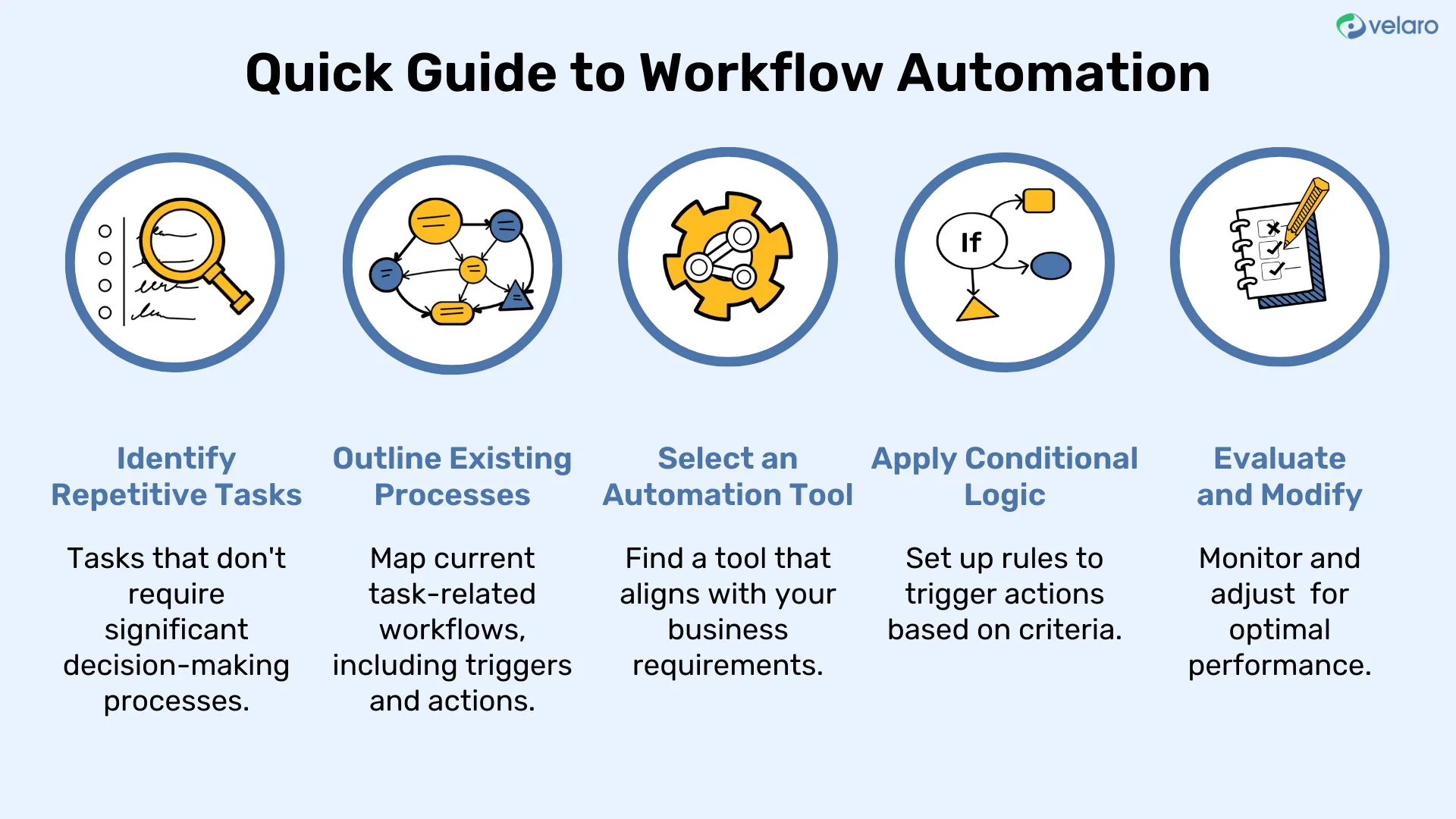
Once your processes are mapped, begin constructing automation workflows by defining triggers—specific events that start a workflow such as receiving an email or completing a form. Then, establish rules and actions that follow automatically, like updating a database, sending confirmation emails, or assigning tasks to team members.
Start with simple automation rules and gradually incorporate more complexity as you gain confidence. Testing is critical here; try workflows on a small scale to catch issues early and refine the logic before wider rollout.
Training Your Team for Smooth Transition and Adoption
People are at the heart of successful automation. Educate your team about the purpose of automation—to assist, not replace their work—and dispel common myths surrounding cost or job security. Provide hands-on training sessions to familiarize them with new tools and workflows.
Encourage feedback during the initial rollout, creating an open environment where employees can share concerns and suggestions. This inclusion promotes smoother adoption and helps you fine-tune workflows to better serve your team’s daily tasks.
Best Practices to Ensure Successful Automation
Regular Monitoring and Performance Measurement
Automation isn’t a set-it-and-forget-it solution. Continuous monitoring is essential to ensure workflows perform as intended and deliver expected benefits. Track key metrics like time saved, error reduction, and productivity gains to quantify automation’s impact.
Regularly review these metrics with your team to identify bottlenecks or new opportunities for automation improvement. Staying proactive prevents workflows from becoming outdated or inefficient as your business evolves.
Maintaining Flexibility to Adapt and Refine Workflows
Business processes rarely stay static. As market conditions, customer demands, or internal structures change, automated workflows must be revisited and adjusted. Avoid rigid setups by choosing tools that allow quick editing and scaling of workflows without requiring a full rebuild.
Flexibility in your automation approach ensures that workflows remain aligned with business goals and continue to deliver value over the long term.
Security and Data Privacy Considerations
When automating workflows, especially those involving customer or financial data, security cannot be overlooked. Choose software platforms with robust data protection measures, including encryption, access controls, and compliance certifications. Organizing business documents centrally with consistent naming conventions and saving files as PDFs enhances compatibility while preserving formatting and security.
Implementing these precautions helps safeguard sensitive information and build trust with clients and partners.
Case Studies: Small Businesses Thriving with Workflow Automation
Real-World Examples of Increased Productivity
Small businesses across industries have reported remarkable productivity gains by automating routine tasks. Consider a boutique marketing agency that automated lead follow-ups and client onboarding workflows. Their sales cycle shortened, and staff could focus more on creative work rather than administrative tasks.
Another example is a retail business that automated inventory tracking and invoice processing. By eliminating manual entry, they reduced errors and freed hours per week for managers to concentrate on strategic growth initiatives.
Lessons Learned and Tips from Early Adopters
Early adopters emphasize the value of starting small and expanding gradually. Testing workflows with a select group before full deployment helps uncover flaws and training needs. They caution against automating poorly defined or sporadic tasks, as this can add unnecessary complexity without significant ROI.
Another common takeaway is the importance of integrating automation tools with existing software to avoid data silos and wasted effort. Finally, measuring outcomes regularly helps businesses adjust their automation strategies and demonstrate clear benefits to their teams.
Embracing workflow automation transforms small business operations by reducing mundane manual work, increasing accuracy, and freeing up valuable time. With careful planning, choosing the right tools, and fostering a collaborative team culture, even the smallest companies can harness automation for sustained growth and efficiency.


