
Introduction to DIY Smart Greenhouse Sensors
Why Monitor Temperature and Humidity?
Imagine walking into your greenhouse one morning to find your plants wilting under a sudden heat spike or drooping from excess moisture. Extreme temperature fluctuations can cause irreversible damage, leading to poor plant health or loss of your crops. Monitoring both temperature and humidity is crucial because these factors directly influence plant growth, nutrient uptake, and disease susceptibility. Without reliable data, maintaining an optimal environment becomes guesswork, risking months of hard work and investment. By keeping close tabs on these conditions, you can fine-tune your greenhouse climate to boost yields and ensure thriving plants year-round.
Benefits of Building Your Own Sensor
Purchasing commercial monitoring systems often comes with high costs and limited customization. Building your own DIY temperature and humidity sensor not only saves money but grants you full control over the features and data you collect. For instance, with a custom setup, you can program alerts tailored to your plants’ specific needs or integrate your system with existing smart controls. The DIY route also provides a hands-on learning experience, connecting you closer to the technology behind plant care. This approach empowers even hobbyists and small-scale growers to adopt precision agriculture techniques typically reserved for large farms.
Essential Components and Tools
Choosing the Right Sensors

Choosing sensors begins by considering your greenhouse environment. High-quality digital sensors like the DHT22 or BME280 are popular because they offer combined temperature and humidity readings with reasonable accuracy and resilience. For example, a gardener discovered that the BME280’s fast response time helped quickly detect a sudden temperature drop one evening, enabling prompt heating adjustments. It’s essential to ensure your sensors can withstand humidity and possible condensation. Before purchasing, check compatibility with your microcontroller and review manufacturer data sheets for operating ranges suited to greenhouse conditions.
Microcontroller Selection
Picking a microcontroller involves balancing ease of use, processing power, and connectivity. Arduino boards are beginner-friendly and widely supported, perfect for simple monitoring setups. On the other hand, Raspberry Pi offers more computing capacity and networking options, advantageous for data logging and remote monitoring scenarios. For instance, a small urban farmer used a Raspberry Pi to not only record sensor data but also send notifications to their phone during temperature spikes. Your choice should match your programming skills and system complexity.
Additional Hardware and Software Requirements
Aside from sensors and microcontrollers, you’ll need cables, breadboards or PCBs for connections, and possibly display units like LCDs for real-time data viewing. Software tools include the Arduino IDE or Python environments for coding your microcontroller. A power source, whether battery packs or AC adapters, must be reliable, especially if your greenhouse is off-grid. Including Wi-Fi or GSM modules extends functionality by allowing alerts and remote data access. Prior research into compatible components and example libraries will streamline assembling and coding your system.
Preparing Your Workspace and Safety Tips
Before diving into assembly, organize a clean workspace free from clutter and static hazards. Handling electronic components requires careful attention to avoid damage or injury. Use anti-static mats and discharge yourself to protect sensitive parts. Ensure power supplies are unplugged while wiring to prevent shocks. Working near plants, it’s wise to keep moisture away from electronics and avoid exposing sensors to dirt during assembly. Preparing ahead saves time and minimizes errors during the build.
Step 1: Assembling the Sensor Hardware
Wiring the Temperature Sensor
Start by carefully connecting the temperature sensor’s power and ground pins to the microcontroller’s corresponding pins. For example, connecting a DHT22 sensor involves attaching the VCC and GND pins correctly and linking the data pin to a digital input pin on Arduino. Cross-referencing the sensor’s datasheet prevents wiring mistakes that can short circuits or sensor failure. Using jumper wires on a breadboard at this stage allows quick adjustments before final soldering or enclosure mounting.
Connecting the Humidity Sensor
Many combined temperature and humidity sensors streamline wiring, but if you use separate units, repeat the safe wiring process for the humidity sensor. Calibration is common after connecting to ensure readings align with known environmental humidity levels. During testing, it’s helpful to hold the sensor near a damp cloth to verify if humidity values rise appropriately. Secure connections with solder or firm terminal blocks to prevent disconnections due to accidental movement in the greenhouse.
Integrating Sensors with the Microcontroller
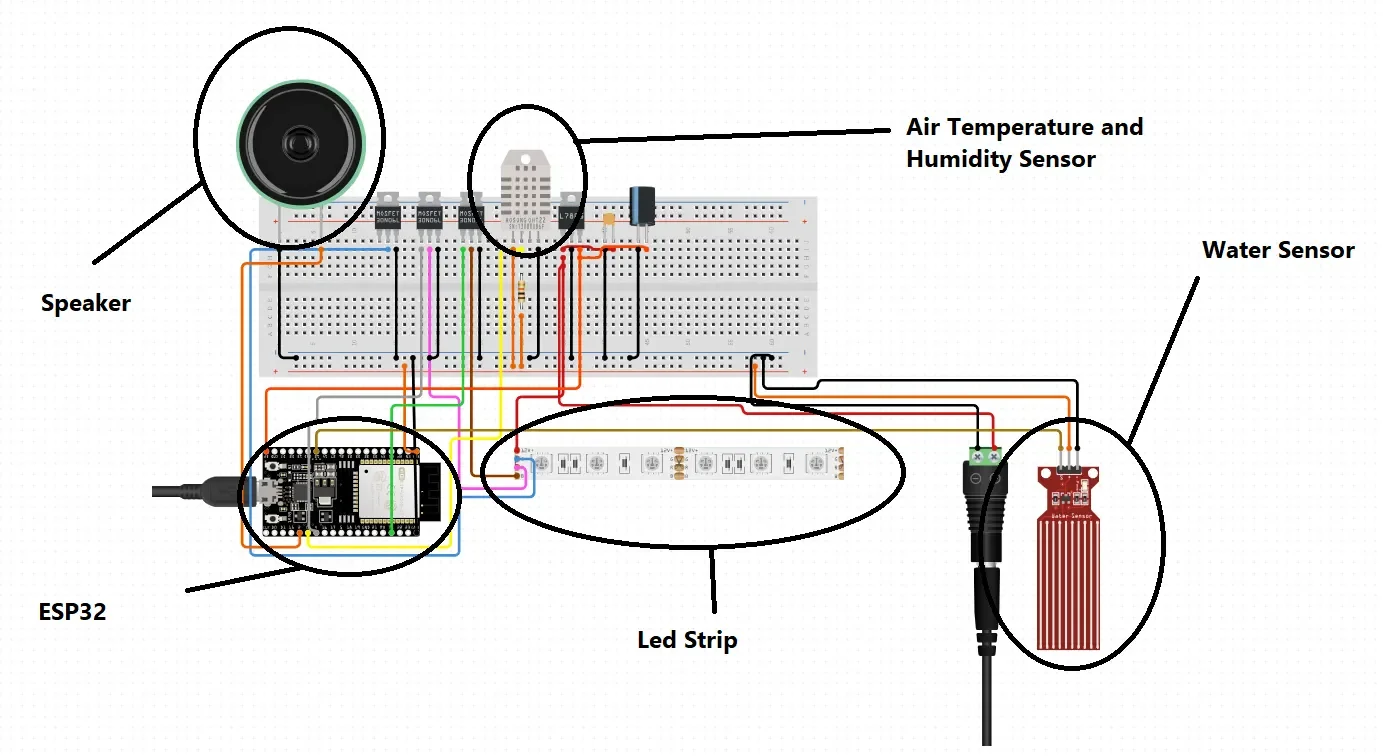
Once wiring is complete, connect sensors to the microcontroller’s input pins based on your design plan. It’s common to use analog inputs for some sensors and digital for others. Ensuring proper voltage reference and signal integrity is key to accurate readings. At this stage, double-check all connections to avoid errors in data collection. A simple continuity test can help verify correct wiring paths before powering the device.
Step 2: Programming the Microcontroller
Writing the Sensor Code
Programming begins by including necessary libraries for your sensors within the development environment. For example, Arduino users might use the “DHT” or “Adafruit BME280” libraries to simplify communication. Writing code to continuously read sensor values and convert raw data into user-friendly units like Celsius and percentage is the next step. During this phase, adding serial print statements helps monitor live sensor output via your computer, which assists in debugging.
Uploading and Testing the Firmware
After writing the initial code, upload it to your microcontroller using a USB cable. Observe the sensor data streaming in your serial monitor or display. Testing under real greenhouse conditions is vital. For instance, a grower noticed that their sensor was reading higher temperatures near a heater; this insight led to relocating the sensor for more representative measurements. Iterate your code if necessary, adding features like averaging multiple readings to reduce noise or setting thresholds for alarm triggers.
Step 3: Calibrating the Sensor Readings
Verifying Temperature Accuracy
Calibration fine-tunes your sensor to ensure it reflects actual greenhouse conditions. One practical method is comparing sensor readings to a trusted thermometer placed nearby over several hours. If discrepancies appear, you can adjust your code by applying offset values to correct systematic errors. Keeping a calibration log assists in tracking sensor performance over time and spotting drift caused by sensor aging.
Humidity Calibration Techniques
Humidity calibration is trickier due to air moisture’s variability. Using saturated salt solutions or commercial humidity calibration kits creates stable reference points. Periodically exposing your sensor to these controlled environments and recording outputs allows you to map and correct deviations. Consistent recalibration, especially in high humidity greenhouses, ensures your sensor maintains reliability with shifts in environmental conditions.
Step 4: Building the Enclosure and Mounting
Materials for Weatherproof Housing
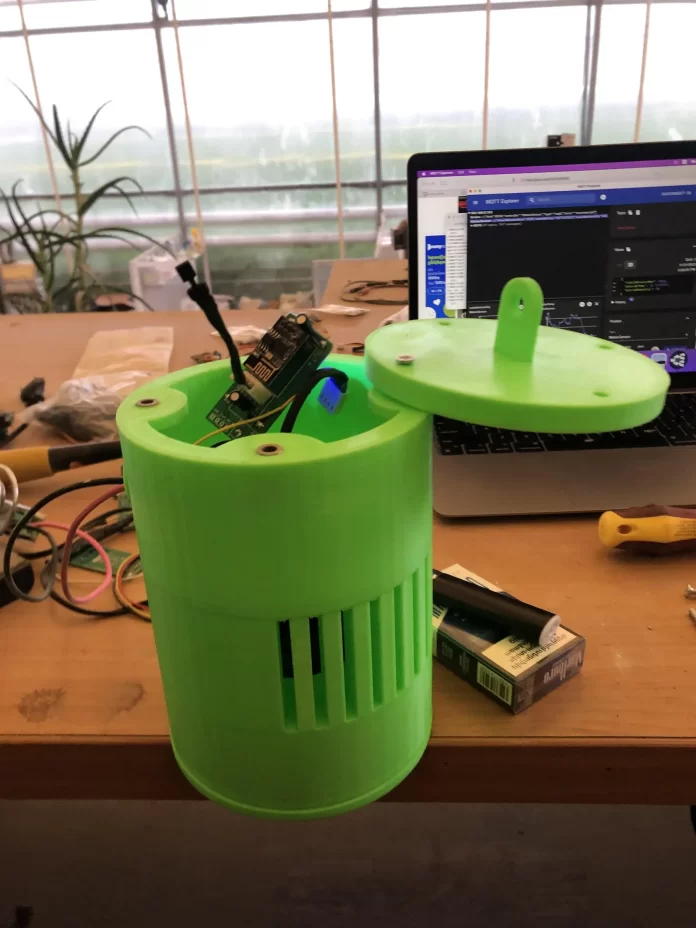
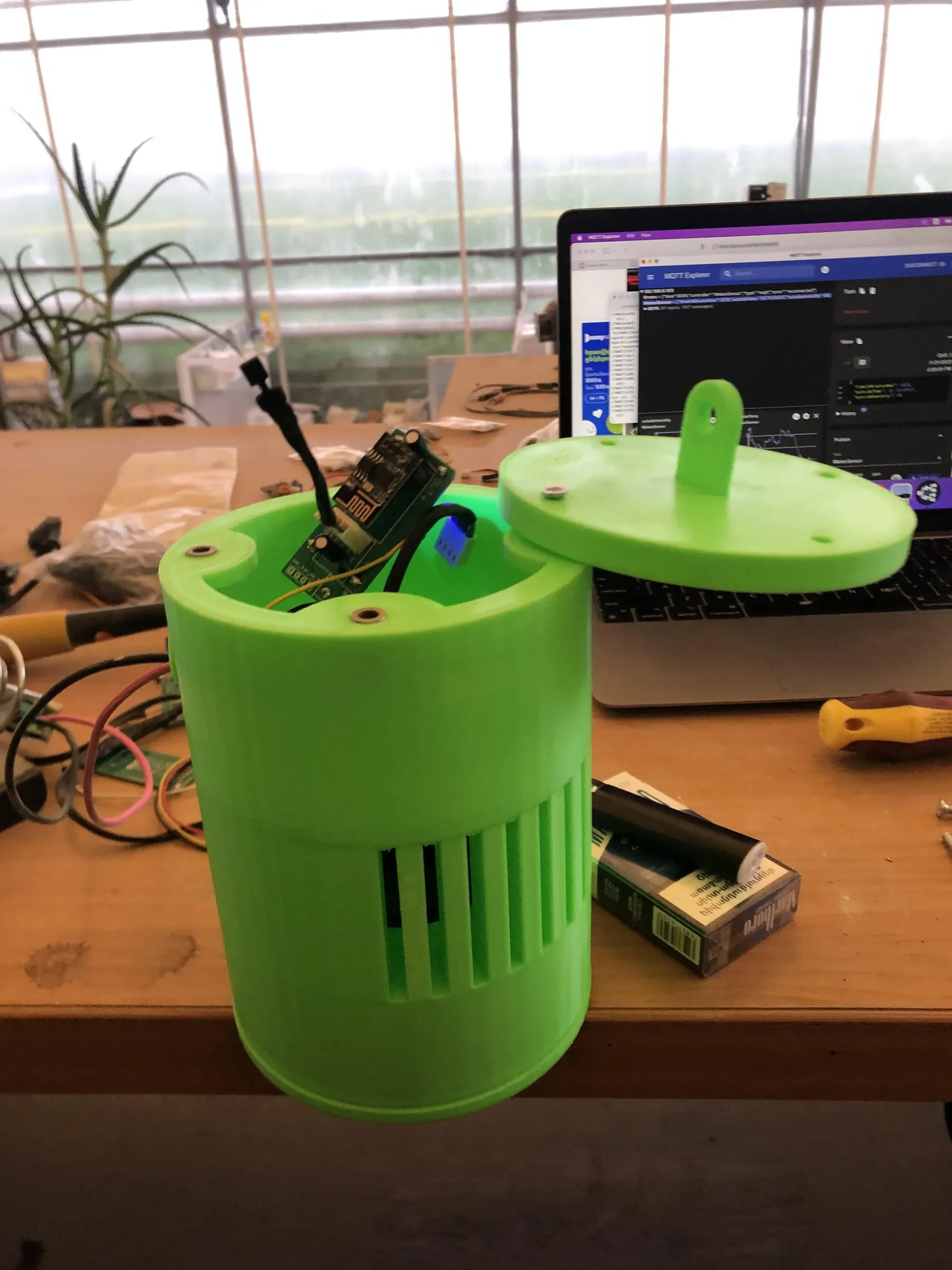
Protecting your electronics from moisture, dust, and temperature swings is essential. Typical enclosures use waterproof plastic or acrylic boxes with rubber gaskets. For example, a home gardener repurposed a sturdy project box and added ventilation holes covered with fine mesh to prevent insect ingress while allowing airflow. Ensure that sensors exposed to the environment are shielded but not sealed off to guarantee accurate readings.
Placement Strategies Inside the Greenhouse
Sensor location impacts data validity. Install sensors away from direct sunlight or reflective surfaces that can skew temperatures. Placing them near plant canopies or zones prone to temperature stress yields actionable insights. A greenhouse owner divided their space into zones and mounted sensors in each to manage microclimates effectively. Mounting at appropriate heights and securing the enclosure against wind or accidental bumps prevent damage and maintain consistency.
Step 5: Integrating with Smart Greenhouse Systems
Wireless Data Transmission Options
Adding wireless modules like Wi-Fi or GSM enables remote monitoring and enhances your system’s flexibility. For example, using a Wi-Fi-enabled microcontroller lets you send environmental data to cloud platforms accessible from anywhere. This setup was crucial for a grower who travels frequently, allowing them to receive instant temperature and humidity updates via smartphone. Selecting low-power communication protocols enhances battery life if your setup isn’t mains-powered.
Setting Alerts and Automated Controls
Configuring your system to send alerts when conditions exceed set thresholds can prevent disasters. Local alarms like buzzers or LEDs provide immediate warnings onsite, while email or SMS notifications inform you remotely. Integrating your sensor data with actuators such as fans, heaters, or irrigation systems enables automation. One urban gardener’s DIY system triggered ventilation fans when temperature surpassed 30°C, maintaining a stable environment without manual intervention.
Maintenance and Troubleshooting Tips
Regular upkeep ensures continued system performance. Protect sensors from dirt buildup by occasionally cleaning and inspecting physical enclosures. Keep software updated to fix bugs and improve features. If readings become erratic, check wiring connections and sensor calibration. Familiarize yourself with error codes or abnormal values to quickly diagnose problems. Documenting routine maintenance activities helps prolong sensor life and alert you to gradual system degradation.
Enhancing Your DIY Sensor Setup
Adding Additional Environmental Metrics
Once your basic temperature and humidity sensor is operational, consider incorporating additional measurements like soil moisture, light intensity, or carbon dioxide levels. Expanding monitoring capabilities provides a fuller picture of your greenhouse’s environment, facilitating advanced control strategies. For example, integrating light sensors helped a hobbyist adjust shading automatically during summer months, optimizing photosynthesis without manual intervention.
Upgrading Firmware for Advanced Features
Enhance your system by updating firmware to include data logging, trend analysis, or integration with voice assistants. Open-source communities often share code snippets that add features such as threshold hysteresis to reduce false alarms or incorporate weather forecasts into decision-making. Upgrading requires some programming skills but can transform a simple sensor into a powerful smart device tailored to your unique growing needs.


