
Understanding AI Chatbots in Customer Support
What Are AI Chatbots?
AI chatbots are intelligent software programs designed to simulate human-like conversations with customers. Unlike traditional scripted chatbots, they use artificial intelligence technologies such as natural language processing and machine learning to understand queries, provide relevant responses, and even learn from interactions over time. This allows them to handle complex questions while adapting to various communication styles, making them invaluable for customer support.
Benefits of Automation for Small Businesses
For small businesses, automating customer support with AI chatbots offers multiple advantages. First, it ensures that customers receive instant, accurate responses around the clock, which significantly improves satisfaction. Secondly, it reduces the workload on support staff by managing high volumes of repetitive inquiries, freeing human agents to focus on more nuanced issues. This balance between efficiency and personalized service helps small businesses meet rising customer expectations without overwhelming limited resources.
Preparing Your Small Business for Chatbot Integration
Identifying Customer Support Needs
Before diving into chatbot implementation, it’s crucial to understand the specific customer support challenges your small business faces. Are most inquiries about order status, product details, or troubleshooting? Pinpointing these needs helps set clear priorities for what the chatbot should address. It’s also important to consider communication channels your customers prefer, such as your website, social media, or messaging apps, to ensure the chatbot can integrate seamlessly.
Choosing the Right Platform and Tools
Selecting a chatbot platform involves more than picking the flashiest technology. Consider factors like ease of integration with your existing CRM and support systems, language support if your audience is multilingual, and how customizable the chatbot is to align with your brand voice. Platforms offering analytics will enable you to monitor performance and refine interactions, making them more suitable for small business growth.
Step 1: Planning Your AI Chatbot Strategy
Defining Goals and KPIs
Setting clear objectives is the foundation for a successful chatbot. Are you aiming to reduce response times, improve customer satisfaction scores, or deflect a certain percentage of inquiries from human agents? Defining these goals upfront allows you to determine relevant key performance indicators (KPIs), such as average resolution time or chatbot engagement rates, which will guide implementation and ongoing evaluation.
Mapping Customer Journeys
Understanding how your customers interact with your business is essential. Mapping their journey—from initial contact to resolution—helps identify touchpoints where a chatbot can add the most value. For example, a chatbot may assist with order tracking immediately after purchase, or provide instant responses during peak inquiry times, ultimately smoothing the user experience and preventing frustration caused by delays or inconsistent communication.
Step 2: Designing Conversational Flows
Creating Relevant Scenarios and Scripts
Crafting conversational flows that feel natural and intuitive is a key challenge. This means avoiding rigid, robotic exchanges and instead designing dialogues that reflect real customer interactions. Including fallback options for when the chatbot cannot handle a question ensures a smooth transition to a live agent. Incorporating multimedia elements like images or quick reply buttons can also make conversations more engaging and efficient.
Personalization Techniques for Small Business Audiences
Small businesses often have the advantage of a closer relationship with their customers. Utilizing personalization techniques such as greeting customers by name, recognizing past purchases, or tailoring responses based on previous interactions creates a more intimate experience. Personalization fosters trust, encouraging customers to rely on the chatbot and enhancing their overall satisfaction.
Step 3: Building and Implementing Your Chatbot
Selecting Development Options: DIY vs. Professional
Small businesses can choose between building chatbots using DIY platforms or hiring professionals. DIY tools are often more affordable and allow quicker deployment but may have limitations in customization and AI capabilities. Conversely, professional developers can create sophisticated chatbots tailored to your unique business needs but typically require higher upfront investment. The choice depends on your budget, technical skills, and complexity of customer queries.
Integrating Chatbots with Existing CRM and Support Systems
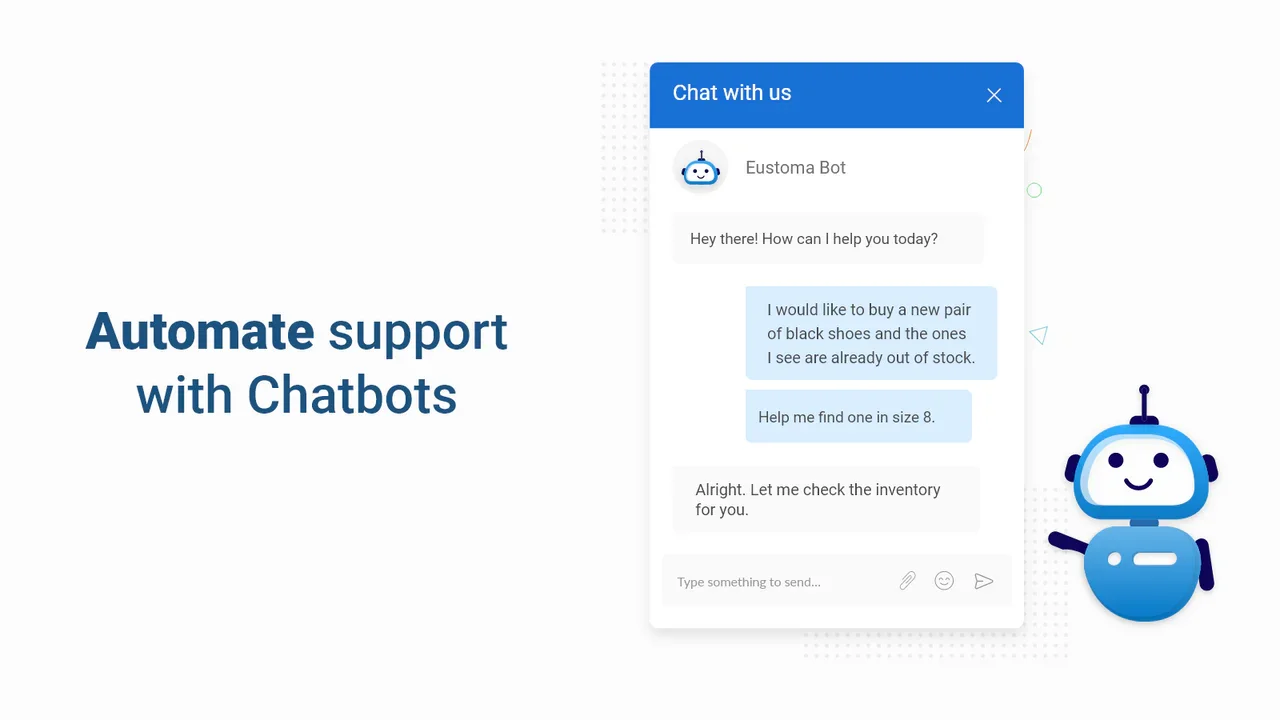
Integration is critical to ensure your chatbot works in harmony with your existing infrastructure. Linking the chatbot to your CRM system allows it to access customer data for personalized interactions and update records in real time. Integrating with helpdesk software means that chatbot escalations to human agents are seamless, improving efficiency and avoiding customer frustration caused by repeated explanations or lost context.
Step 4: Testing and Launching
Conducting User Testing and Quality Assurance
Before going live, thorough testing is essential. Internal teams and select beta customers can interact with the chatbot to identify flaws such as misunderstanding queries or awkward phrasing. These tests enable you to catch issues early and refine conversational flows, ensuring the chatbot performs reliably and meets customers’ expectations from day one.
Soft Launch Approaches to Minimize Risk
Instead of a full-scale launch, consider a soft launch where the chatbot is initially available to a limited audience or during specific hours. This approach helps collect valuable feedback while minimizing risk to your brand’s reputation in case unexpected problems arise. Gradually expanding chatbot availability as confidence grows is a prudent strategy to maintain a positive customer experience.
Step 5: Monitoring and Optimizing Performance
Analyzing Chatbot Data and Customer Feedback
After launch, monitoring chatbot conversations and performance metrics is vital. Data such as response times, common queries, and customer satisfaction ratings provide insights into how well the chatbot is serving your audience. Soliciting direct feedback through ratings or comments after interactions uncovers pain points and areas for improvement that might not be apparent from raw data alone.
Iterative Improvements to Enhance User Experience
Chatbot deployment is not a set-it-and-forget-it task. Regular updates based on analytics and feedback keep the chatbot relevant and effective. Expanding its capabilities gradually—from answering FAQs to handling complex requests—builds customer trust. Continuous training on new data and adapting to changing customer needs ensures the chatbot remains a valuable tool for your small business.
Common Challenges and How to Overcome Them
Managing Complex Queries
AI chatbots excel at handling routine questions but may struggle with complex or emotional issues. To overcome this, design your chatbot to recognize its limitations and escalate such cases promptly to human agents. Incorporating sentiment analysis can help detect customer frustration early, triggering timely intervention and preventing negative experiences.
Ensuring Data Privacy and Security
Protecting customer data is paramount. Choose chatbot platforms that comply with industry standards and regulations such as GDPR. Implement secure data handling practices including encryption and access controls. Clearly communicate your privacy policies to customers to build trust and demonstrate your commitment to safeguarding their information.


