
Introduction to Email Marketing Automation with ActiveCampaign
Why Choose ActiveCampaign for Automation?
Email marketing automation can be a challenging task to master, especially when dealing with large contact lists and diverse audience segments. Many marketers struggle with low engagement rates and inefficient campaign management. One common cause of these issues is the lack of a robust automation platform that simplifies the process while providing advanced targeting and personalization options. ActiveCampaign stands out because it offers a comprehensive set of features designed to streamline automation workflows. By using ActiveCampaign, marketers can combine ease of use with powerful tools that optimize timing, targeting, and content delivery.
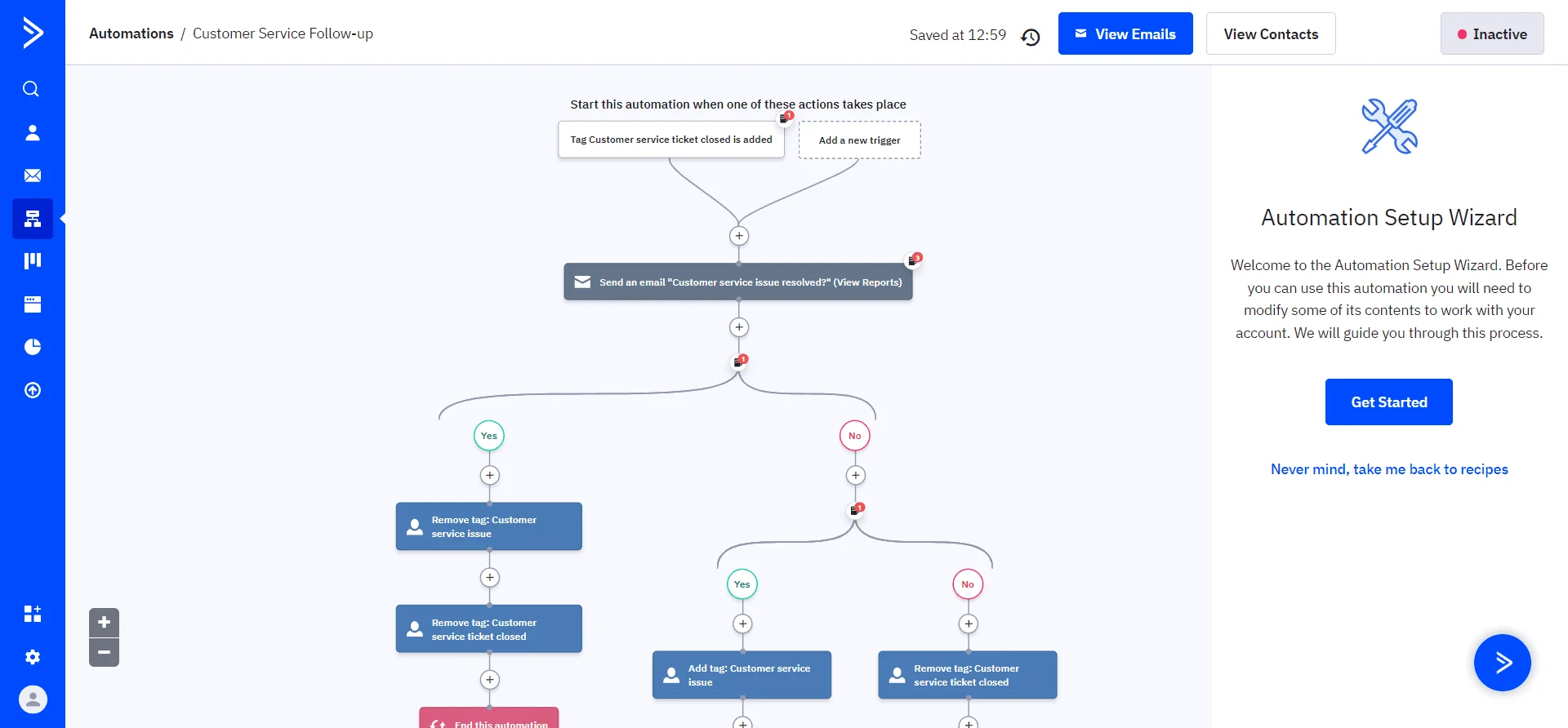
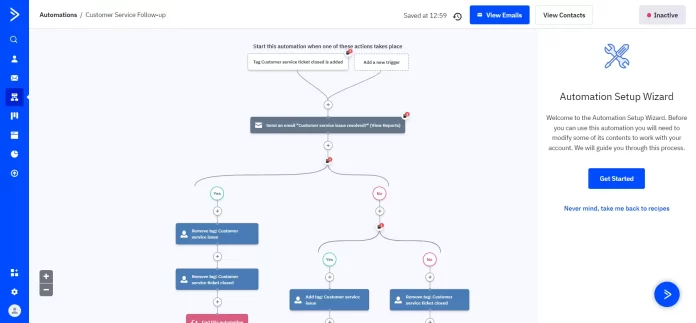
ActiveCampaign’s ability to integrate CRM, automation recipes, and various campaign types makes it an ideal choice for businesses seeking to improve their email marketing outcomes. Its user-friendly drag-and-drop interface further helps reduce complexity, especially for those new to email automation.
Understanding Email Marketing Automation Basics
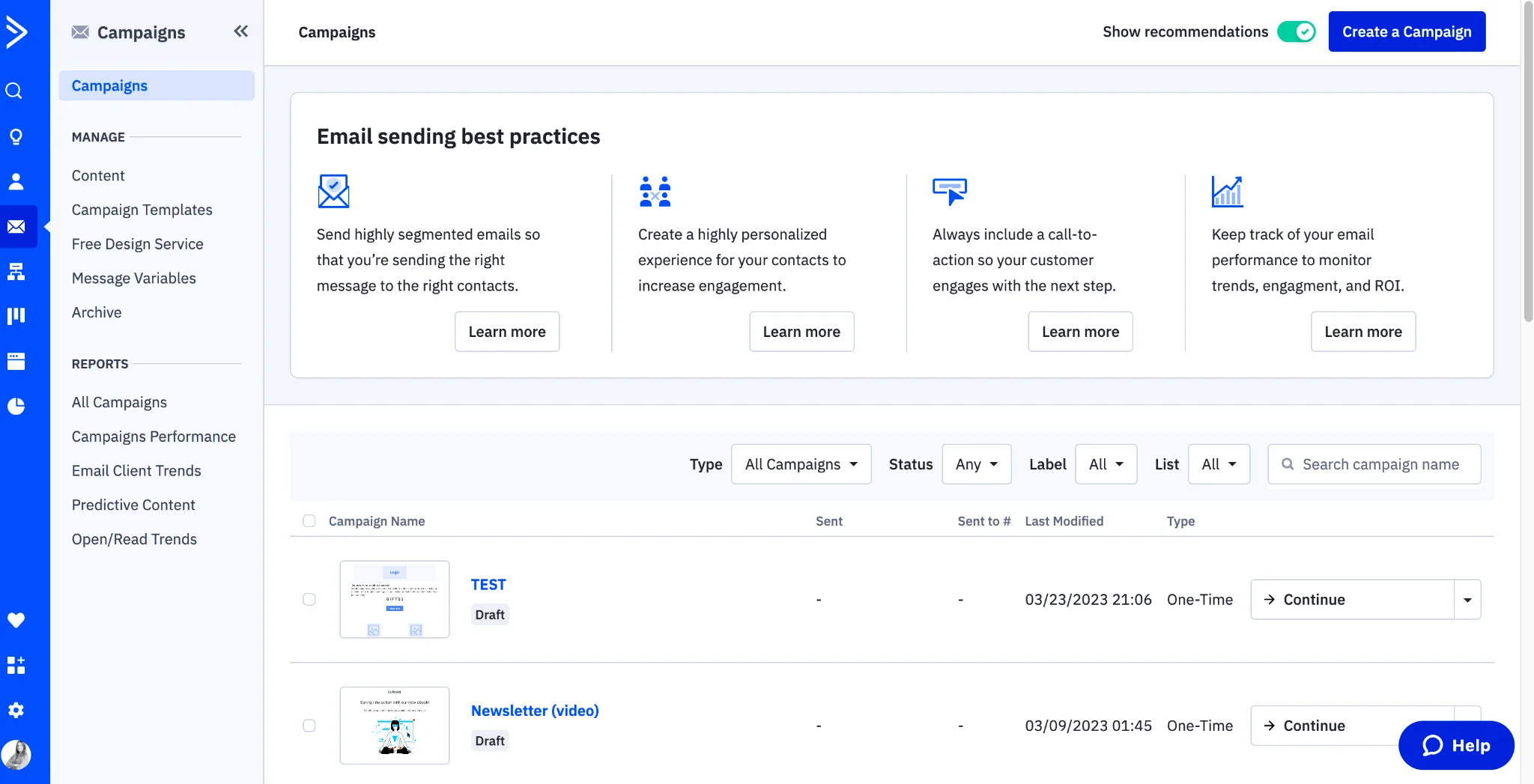
Before diving into ActiveCampaign, it is essential to grasp the fundamentals of email marketing automation. The main challenge lies in sending relevant messages to the right audience at the right time without manual intervention. Automation solves this by using triggers, actions, and conditions to manage email flows. However, problems arise when email lists are unclean or unsegmented, leading to generic messaging that users often ignore.
Effective email marketing automation rests on four pillars: list hygiene, segmentation, personalization, and timing. These ensure that recipients receive targeted campaigns that resonate, increasing engagement and conversion rates. Understanding these basics helps you make better use of ActiveCampaign’s capabilities and avoid typical pitfalls like ignoring automation features or failing to test different campaign types.
Preparing Your Account and Contacts
Setting Up Your ActiveCampaign Account
Starting with a clean and properly configured ActiveCampaign account is crucial. Often, marketers rush into building campaigns without fully setting up the account structure, which causes issues later such as incorrect tracking or poorly timed sends. Addressing this, you should first verify that your account settings—like timezone, sender email, and domain authentication—are properly configured to ensure reliable delivery and tracking.
ActiveCampaign provides onboarding guides to assist with these settings. Taking the time to fully set up your account reduces campaign errors and builds a foundation for effective automation.
Importing and Segmenting Your Contact List
One major cause of low engagement is an unclean email list. Importing contacts without proper cleaning and segmentation can result in sending campaigns to uninterested or inactive users, reducing your sender reputation. ActiveCampaign allows you to import your lists in various formats, but it’s essential to clean this data beforehand through automated list hygiene tools or manual review.
After import, segmenting contacts based on behavior, demographics, or other criteria enables personalized messaging. Lack of segmentation is a common misstep that leads to generic emails and poorer results. ActiveCampaign simplifies segmentation by offering intuitive filters and tag management, helping you tailor campaigns effectively.
Best Practices for Organizing Contacts
Proper organization of your contact list prevents clutter and ensures smooth automation execution. Contacts should be grouped logically, such as by purchase history, engagement level, or lifecycle stage. Common errors include mixing all contacts into broad lists without differentiation, which hampers targeting and reporting capabilities.
Using tags and custom fields within ActiveCampaign to further classify contacts enhances your ability to create dynamic, relevant campaigns. Consistently maintaining this structure through automation rules prevents list decay and optimizes future efforts.
Creating Your First Automated Campaign
Choosing the Right Automation Template
Starting your first automation campaign without guidance can be daunting, often leading to inefficient workflows or overcomplicated setups. ActiveCampaign offers a library of automation templates tailored to common scenarios like welcome series, re-engagement, or last chance offers. These templates address prevalent challenges by providing tested workflows that can be customized.
Selecting the right template based on your campaign goal ensures you leverage best practices from the start. For example, using a re-engagement template targets inactive users with personalized messaging, addressing the issue of list inactivity.
Designing Effective Email Content within ActiveCampaign
Content design impacts how recipients perceive and engage with your emails. Many marketers struggle by sending generic, unpersonalized content that fails to grab attention. ActiveCampaign’s drag-and-drop email builder solves this by offering intuitive blocks to customize layouts easily while incorporating personalization tags—such as the recipient’s first name in the subject line—to increase open rates.
Keeping designs simple initially allows you to focus on message clarity and audience relevance. Overcomplicating layouts too early often distracts from the core content and can confuse new users of the platform.
Setting Triggers and Actions for Automation
Automation depends on properly configured triggers and actions, yet many campaigns falter due to poorly thought-out sequences. A frequent cause is failing to align triggers with audience behavior, creating irrelevant or mistimed emails that disengage users.
ActiveCampaign provides flexible trigger types such as link clicks, form submissions, or tag additions. Pairing these with actions like sending emails, updating contact scores, or adding delays allows you to create tightly targeted workflows. Testing these setups early reduces errors and maximizes the impact of your campaigns.
Advanced Automation Features
Using Conditional Logic in Your Automation Workflow
As campaigns grow in complexity, simple linear automation may not suffice. Conditional logic introduces problem-solving by tailoring paths based on user interactions. For example, if a contact opens an email but does not click a link, the automation can send a follow-up with different content.
Neglecting conditional logic often results in one-size-fits-all campaigns that perform poorly. ActiveCampaign’s conditional steps empower marketers to customize the experience dynamically, boosting engagement and conversions.
Integrating CRM and Other Tools
Many marketers underutilize their automation by not connecting ActiveCampaign with other tools like CRMs, e-commerce platforms, or analytics software. This disconnect limits the data available for segmentation and tracking, reducing campaign effectiveness.
ActiveCampaign’s seamless integrations enable a centralized view of customer data, ensuring automation triggers are based on comprehensive insights. Integrating your CRM allows for personalized follow-ups and better sales nurturing.
Testing and Optimizing Your Automated Campaigns
Ignoring split testing is a major oversight that deprives marketers of valuable insights about audience preferences. Without testing subject lines, content formats, or send times, campaigns risk underperforming.
ActiveCampaign supports A/B testing and various campaign types like date-based and RSS triggered campaigns. Utilizing these features helps refine your messaging and delivery strategy over time, leading to continuous improvement.
Measuring Success and Adjusting Strategies
Analyzing Automation Performance Metrics
Without tracking key metrics, you cannot accurately assess how well your automation campaigns are performing. Common performance issues stem from neglecting open rates, click-through rates, reply tracking, or conversions.
ActiveCampaign offers robust analytics, including Google Analytics integration, to provide insights into user behavior. Regularly analyzing this data helps identify bottlenecks or ineffective segments, allowing you to adjust campaigns promptly.
Refining Your Email Marketing Strategy Based on Data
Data-driven decision-making is essential for ongoing success. Rather than relying on assumptions, marketers should use performance reports to refine segmentation, content, and timing. For example, if a certain segment shows low engagement, consider revising your messaging or excluding them to maintain list health.
ActiveCampaign’s automation insights enable a feedback loop where each campaign informs the next. This continuous refinement addresses the root causes of poor performance and helps you build increasingly effective email marketing strategies.


