
Introduction to AI and Time Management in Remote Work
The Rise of Remote Teams and Meeting Challenges
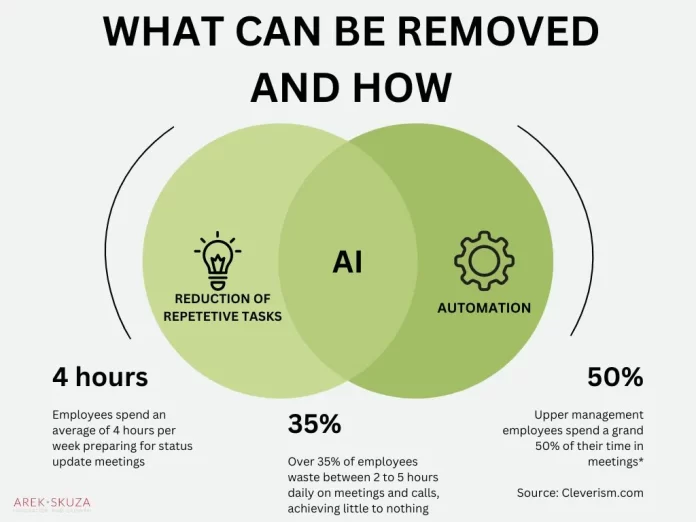
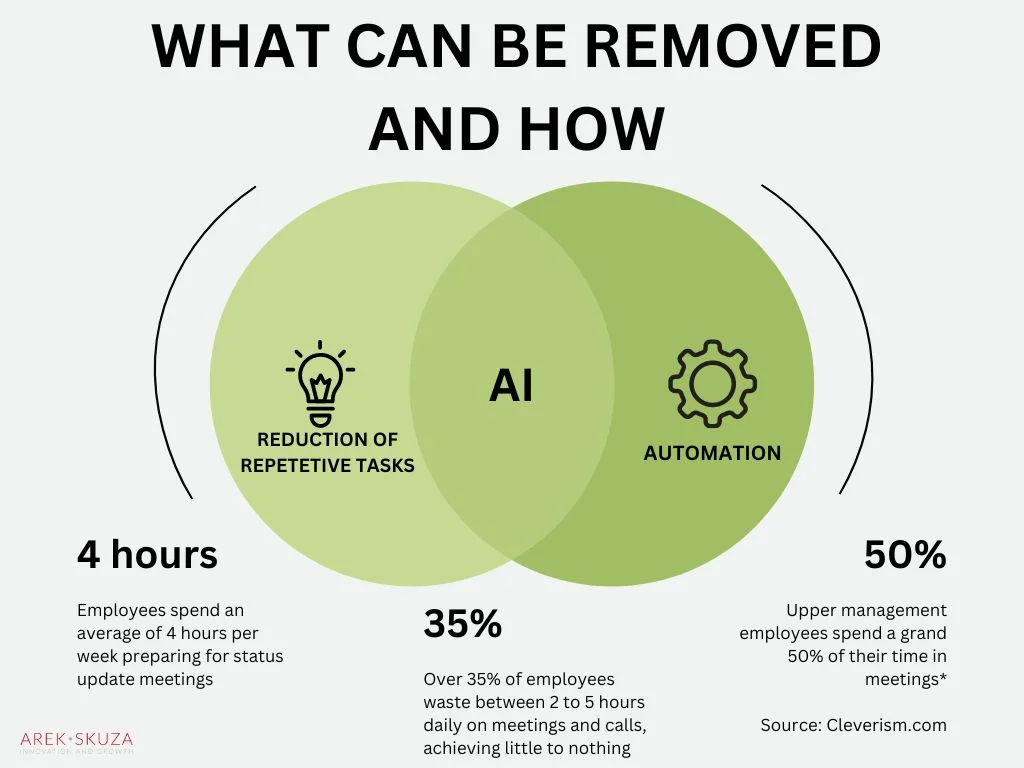
Remote work has become a permanent fixture for many organizations, increasing the reliance on virtual meetings to maintain collaboration. However, as the volume of meetings rises, remote teams often struggle with inefficient time usage. Meetings frequently overrun, eating into time allocated for focused work and causing frustration among participants. Challenges such as scheduling across time zones, managing agendas, and maintaining engagement complicate the meeting process.
How AI is Transforming Time Management
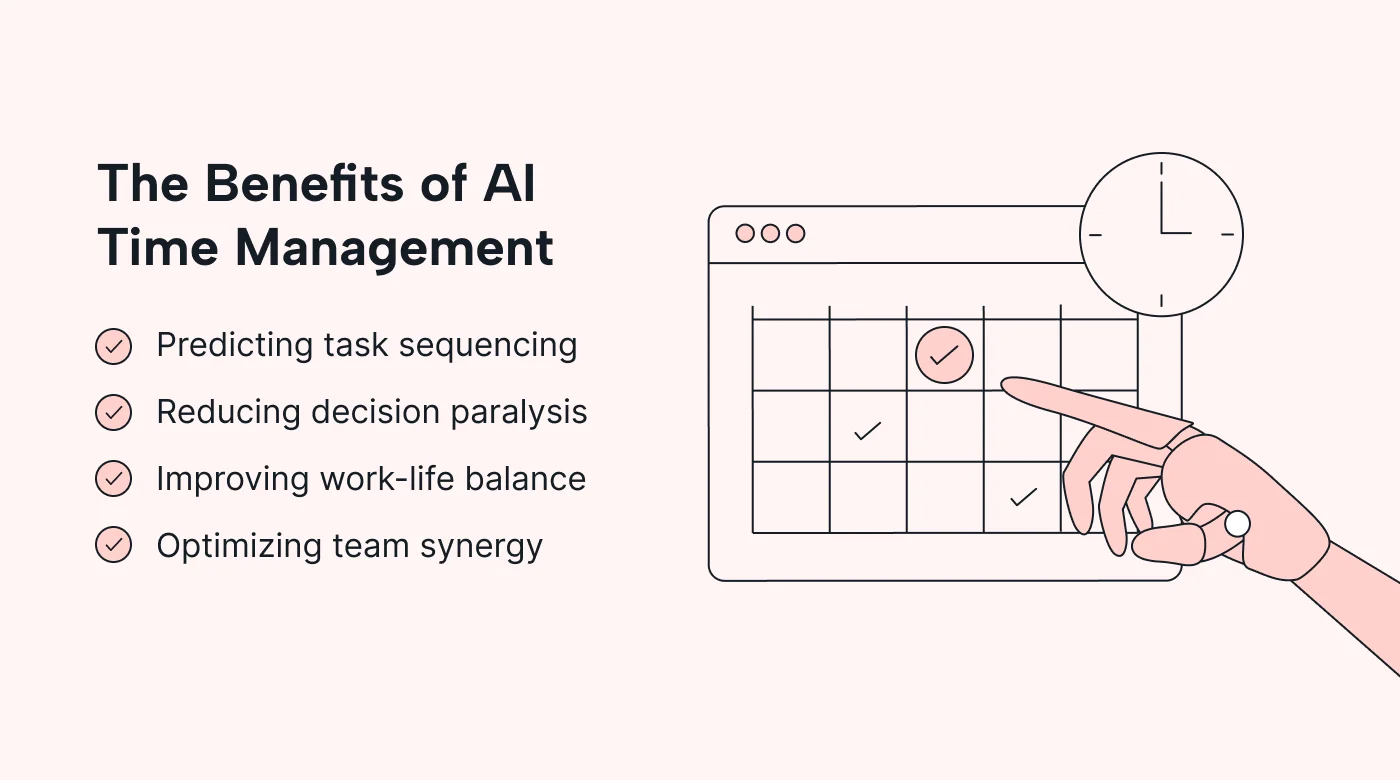
Artificial intelligence is reshaping time management by automating many tasks that burden remote team meetings. AI-powered tools streamline scheduling, reduce manual note-taking, and enable asynchronous collaboration. These innovations help keep meetings on track, optimize time usage, and enhance productivity. AI’s ability to analyze patterns and provide actionable insights allows teams to better manage their calendars and reduce meeting fatigue.
Common Causes of Meeting Overruns in Remote Teams
Poor Agenda Planning
One of the major reasons meetings exceed their allotted time is a lack of clear, well-structured agendas. Organizers often spend significant effort creating and sharing agendas, yet participants may come unprepared or discussions may stray, leading to inefficient use of time. Without defined goals, meetings stretch beyond necessity, reducing overall team productivity.
Lack of Real-Time Time Tracking
Without tools to monitor time during meetings, it becomes difficult to stick to schedules. Participants and organizers rarely have an objective measure of how much time remains, which delays decision-making and prolongs discussions. This lack of awareness frequently causes meetings to overrun, disrupting the rest of the workday.
Communication Breakdowns and Delays
Remote settings complicate communication dynamics. Time zone differences, distractions, and unclear responsibilities often lead to misunderstandings and delays. The absence of transparency about who is responsible for action items can prolong follow-ups and reduce collaboration effectiveness, contributing to meeting inefficiencies.
AI-Powered Solutions Tackling Meeting Inefficiencies
Automated Agenda Creation and Prioritization
AI tools can ease the agenda creation process by analyzing meeting goals, previous discussions, and participant input to generate structured agendas automatically. This ensures meetings are focused and time is allocated appropriately. Prioritization algorithms help highlight crucial items to be addressed first, reducing unnecessary discussions and time waste.
Real-Time Meeting Duration Monitoring
AI monitors meeting duration live, providing alerts when time limits approach. This helps moderators steer conversations, ensuring discussions don’t overextend. Some tools even track individual agenda items separately, offering granular control over meeting flow and preventing agenda slippage.
Smart Notifications and Time Alerts
Notifications triggered by AI during meetings serve as gentle reminders to stay within timeframes. Participants receive alerts for scheduled breaks or completion of agenda points, helping maintain pace. These features reduce the cognitive load on organizers and improve overall meeting discipline.
Case Studies: AI Tools Making a Difference
Tool A: Features and Impact on Meeting Times
Tool A integrates with popular calendars and uses natural language processing to draft agendas from notes and previous meetings automatically. It records sessions, generates transcripts, and tags key action items. Users report a noticeable reduction in meeting length and increased clarity on next steps, which has enhanced overall productivity.
Tool B: User Experience and Efficiency Gains
Tool B focuses on asynchronous participation, allowing absent team members to catch up using AI-generated summaries and the time travel proxy concept. Its chat-based flagging system lets participants mark discussion points for follow-up, streamlining collaboration. Teams using this tool experience fewer rushed meetings and better alignment across global time zones.
Integrating AI Time Management Tools into Your Workflow
Steps to Choose the Right Tool for Your Team
Selecting an AI solution requires assessing your team’s specific workflows and pain points. Consider compatibility with existing platforms like Google Calendar or Outlook. Prioritize tools with smart scheduling assistants that handle conflict resolution and time zone differences. Reviewing analytics and security features is also essential to ensure the tool fits your operational and compliance needs.
Best Practices for Adoption and Training
Successful integration depends on adequate team training and gradual adoption. Conduct an AI audit to identify bottlenecks and tailor workflows before implementation. Provide clear instructions and encourage feedback during the transition. Empower team members to use features like structured summaries and asynchronous collaboration to maximize benefits and reduce resistance.
Potential Challenges and Limitations of AI in Meeting Management
Over-Reliance on Automation
While AI tools provide significant assistance, completely relying on automation can backfire. Important nuances might be overlooked if participants disengage from active meeting management. Maintaining a balance between AI support and human oversight ensures meetings remain effective and meaningful.
Privacy and Data Security Concerns
AI applications often handle sensitive meeting data, raising privacy issues. Organizations must ensure that AI tools comply with relevant data protection regulations. Secure integration with calendar platforms and controlled access are critical to safeguarding confidential information.
Conclusion: Future of Remote Meetings with AI
AI-powered time management tools hold great promise for eliminating meeting overruns in remote teams. By automating routine tasks and enhancing transparency, these solutions help teams reclaim valuable work time and reduce meeting fatigue. Careful selection, thoughtful implementation, and ongoing training are key to unlocking AI’s full potential in transforming remote collaboration. As AI capabilities evolve, remote meetings are poised to become more efficient, focused, and productive.


