Introduction to Website Change Monitoring
Why Website Monitoring is Essential
Imagine you run a small e-commerce business, and your competitor just changed their pricing or added a new product. Without monitoring their website, you’d remain unaware until you stumble upon it by chance. Website change monitoring empowers businesses and individuals alike to stay informed in real time. Whether for tracking price drops, new job postings, or regulatory updates, automated monitoring saves hours of manual checking and prevents missed opportunities.
Consider a journalist monitoring government websites for policy updates or a real estate agent tracking new property listings. By automating alerts, they can respond immediately to critical changes, providing a clear competitive edge and improved responsiveness.
Common Use Cases for Automated Alerts
People use website monitoring for a broad range of scenarios. Retailers monitor competitor product availability or price fluctuations. Job seekers track new postings on company career pages. Investors follow financial news websites for market-moving announcements. News agencies detect breaking news by watching official statements or press releases.
For example, a freelance developer might set up monitoring for several freelance job boards to instantly see when new projects matching their skills are posted. By receiving tailored alerts, they avoid spending hours scrolling through listings. Similarly, a marketing team can track their own landing page to detect unwanted changes or outages quickly.
Planning Your Python Website Monitor
Defining the Scope and Target Websites
Before writing any code, define which websites you want to monitor and what changes matter most. Are you tracking product prices, availability status, or content updates? This focus helps tailor your approach and prevents alert fatigue. For instance, monitoring an e-commerce site might involve focusing solely on the product description and price elements, excluding navigation bars or ads that frequently update but are irrelevant.
One user once tried monitoring an entire news site’s homepage as-is and was overwhelmed by false alarms because the ticker, ads, and timestamps changed constantly. Defining the scope precisely saved them time and boosted the reliability of the alerts.
Choosing the Right Monitoring Frequency
How often you check a website depends on the use case. For fast-moving markets or breaking news, checking every few minutes may be necessary. For other scenarios, daily or even weekly monitoring suffices. Balancing frequency is critical since frequent automated requests can strain servers and risk IP blocking.
For example, a nonprofit tracking grant announcements might set their script to run once a day around midnight, catching updates without overwhelming the target server. Conversely, a deal hunter monitoring flash sales may run the script every five minutes during peak sale hours.
Setting Up the Development Environment
Required Libraries and Tools
Building a reliable website monitor requires several Python libraries. Requests handles HTTP requests to fetch pages, while BeautifulSoup facilitates parsing HTML content. For comparing text differences, difflib offers useful tools. To securely hash content, hashlib is essential. Additionally, smtplib enables sending email alerts. Optionally, integrating libraries such as APScheduler can help schedule monitoring jobs.
For storage, simple JSON files can work well initially, but SQLite or Redis are better suited when scaling to multiple sites.
Installing and Configuring Dependencies
Setting up is straightforward. Use pip to install libraries:
pip install requests beautifulsoup4pip install lxml(optional, for faster HTML parsing)pip install apscheduler(if scheduling within Python)
After installing, ensure you configure environment variables for sensitive data like email credentials or Slack webhooks. This prevents hardcoding secrets in your scripts, enhancing security.
Building the Core Monitoring Script
Fetching Website Data with Requests
Your script starts by fetching the target webpage. Using the requests library, include a user-agent header to mimic a real browser, as some websites block requests with default or missing user-agents.
For example, a snippet like:
headers = {'User-Agent': 'Mozilla/5.0 (compatible; Googlebot/2.1; +http://www.google.com/bot.html)'}
often improves the reliability of responses. Handling exceptions during requests is vital to avoid crashes when network issues or server errors occur.
Parsing Web Content Using BeautifulSoup
Once the page content is fetched, BeautifulSoup parses the HTML to extract meaningful text. To avoid detecting unnecessary changes, remove dynamic elements such as scripts, styles, navigation bars, footers, ads, and cookie banners.
For example, using selectors to extract only the main article content or product description helps focus the comparison. One developer monitoring a job board found stripping out timestamps and banner ads eliminated nearly all false positive alerts.
Detecting Changes Efficiently
Comparing HTML Snapshots
Directly comparing raw HTML often leads to noisy false positives due to transient changes. Instead, clean the HTML to extract only relevant text and then compute a hash, such as with SHA-256, for quick change detection.
When a hash mismatch occurs, generate a human-readable diff using difflib to help understand what changed. Applying a similarity ratio threshold—such as 98% similarity—can filter out trivial updates like minor timestamp changes.
For instance, a script monitoring a news website used this approach to ignore minor layout shifts and alert only on meaningful text changes.
Handling Dynamic Content and JavaScript
Many modern websites load content dynamically with JavaScript, which static requests cannot capture. In such cases, integrating headless browsers like Selenium or Playwright may be necessary to render pages fully.
However, these tools add complexity and resource overhead. When possible, select target sites with static content or use their API endpoints. For example, a price tracker preferred scraping static product pages instead of heavy JavaScript-driven storefronts to keep the monitoring lightweight.
Automating Alert Notifications
Sending Email Alerts with SMTP
Once a meaningful change is detected, notify users immediately. Using Python’s smtplib, you can send emails through an SMTP server like Gmail or a private mail server. Including a concise summary of changes and optionally attaching the diff keeps recipients informed without overwhelming them.
One freelancer automated alerts for new job posts and reported that summarizing changes instead of sending entire HTML snapshots drastically improved the readability and usefulness of notifications.
Integrating SMS or Messaging APIs
Email isn’t the only option. For critical updates, SMS or instant messaging alerts via APIs such as Twilio or Slack Webhooks offer timely and convenient delivery.
A startup founder monitored competitor feature launches and configured Slack alerts, allowing the whole team to respond quickly without checking emails constantly. Tailoring alerts by channel ensures the right people get notified on the right platform.
Enhancing Your Script with Advanced Features
Implementing Logging and Error Handling
A robust monitoring script requires comprehensive logging to record successes, failures, and alerts sent. Implementing try-except blocks around fetching, parsing, and alerting keeps the system running despite occasional errors.
One developer learned the hard way that unhandled exceptions during network outages caused the entire monitoring service to halt. Adding error handling with retries ensured continuous operation and better diagnostics.
Scheduling Script Execution with Cron or Task Scheduler
To run your monitoring automatically, use system schedulers like cron on Linux or Task Scheduler on Windows. For instance, a cron job running every hour executes the script without manual intervention.
Alternatively, Python schedulers like APScheduler can run tasks on a fine-tuned schedule, including handling multiple URLs at varying frequencies within the same script.
Security and Performance Considerations
Respecting Website Terms of Service
Always review and respect the target website’s terms of service before monitoring. Excessive or unauthorized scraping can lead to IP bans or legal issues. Implement respectful crawling by limiting request frequency and respecting robots.txt directives.
One user discovered their IP was blocked after running a tight 1-minute interval monitor on a news site. Adjusting the frequency and adding random delays prevented further blocks while maintaining timely updates.
Optimizing for Scalability and Speed
As you monitor more sites or pages, performance becomes critical. Using databases like SQLite or Redis to store baseline data enables efficient retrieval and comparison. Efficiently stripping noise and hashing minimizes CPU load.
Batch processing requests and asynchronous fetching can speed up monitoring. For example, a service monitoring hundreds of product pages used asyncio-based requests to handle many targets concurrently without blocking.
Conclusion and Next Steps
Expanding to Multi-Site Monitoring
After mastering single-site monitoring, expanding to multiple websites unlocks powerful insights. Design your script modularly so it can handle diverse page layouts and change criteria. Consider centralizing storage and alert management to keep track of many URLs efficiently.
One team successfully expanded their monitor from 5 to 100 sites by introducing a database backend and prioritizing alerts by severity and source.
Using Monitoring Tools vs. Custom Scripts
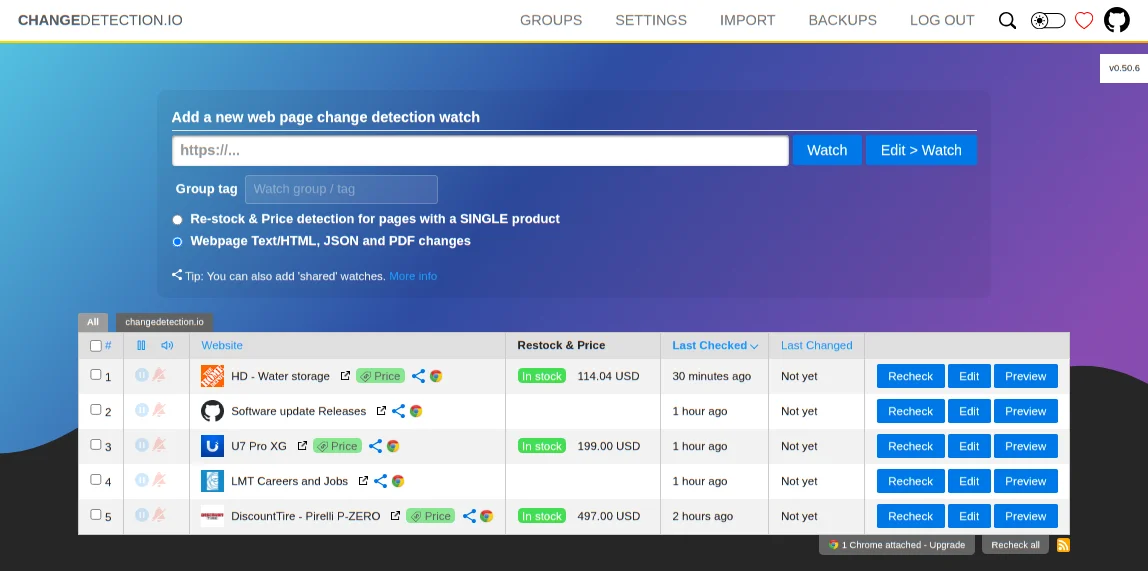
While custom scripts offer flexibility tailored to your exact needs, commercial monitoring tools provide turnkey solutions with user-friendly dashboards, visual comparisons, and integrations. Evaluate your scale, technical comfort, and budget when deciding.
Sometimes, starting with a simple Python script offers invaluable hands-on learning and control before transitioning to more sophisticated platforms as needs grow.