
Understanding AI-Based Time Tracking Tools
What Are AI Time Tracking Tools?
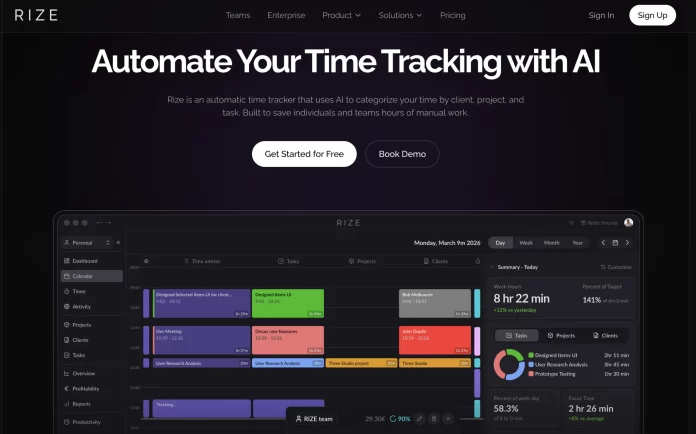
Imagine Sarah, a freelance graphic designer juggling multiple client projects with varying deadlines. Traditional time tracking methods like manual timers or spreadsheets left her overwhelmed and often inaccurate. AI-based time tracking tools change this by using artificial intelligence to automatically monitor work activities. These tools analyze calendar events, app usage, and task activity in real-time, removing the need for constant manual input. The technology goes beyond simple timers by understanding context, such as when Sarah is actively working on a design, and when she’s taking a break, providing a much clearer picture of how her time is spent.
Benefits for Freelancers
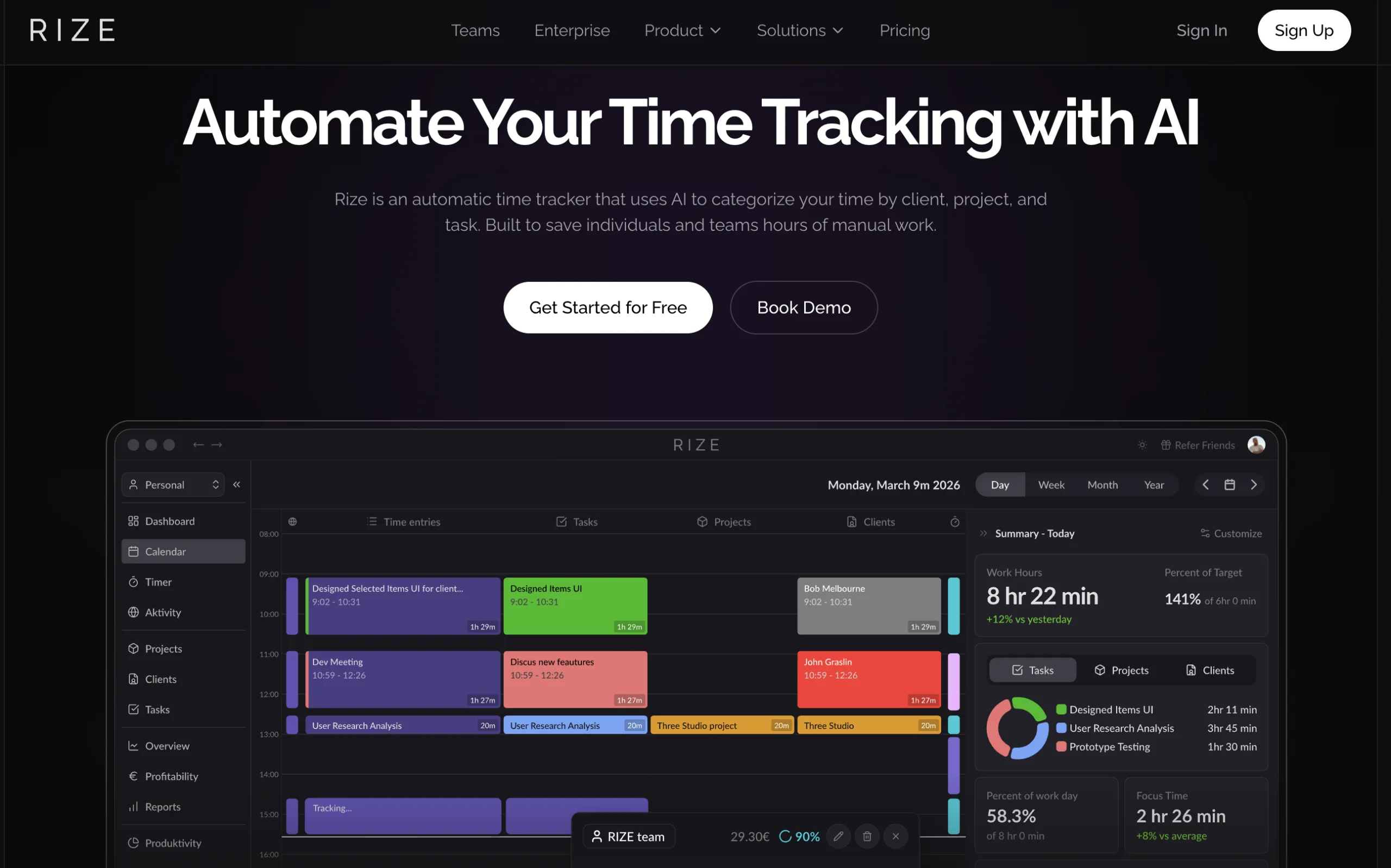
For freelancers, AI tools are a game changer. They effortlessly handle the irregular and flexible schedules that define freelance work. By automating time tracking, freelancers gain accurate billable hours without digging through memory at day’s end. This accuracy translates into fairer invoices and less billing disputes. Additionally, AI generates detailed reports, highlighting which projects consume most time or where inefficiencies lurk, helping freelancers like Sarah make smarter decisions about which clients or tasks to prioritize. These tools also reduce the administrative burden, letting freelancers focus on delivering their craft rather than managing paperwork.
Preparation Before Implementation
Assessing Your Workflow
Before diving into AI time tracking, it’s crucial to understand your own workflow. Take the example of James, a freelance writer who found that his working hours varied drastically depending on the project. He spent mornings researching and afternoons writing but lacked a clear picture of how much time each phase consumed. Mapping your daily routine — what projects you handle, when you focus best, and where bottlenecks arise — lets you tailor the AI tool’s setup to align perfectly with your unique patterns.
Setting Clear Goals for Time Tracking
Without defined goals, time tracking can feel like an imposed task rather than a helpful solution. Think about what you want to achieve: Do you want more accurate invoicing like Ana, a consultant who struggled to bill her precise hours? Or is your priority improving productivity by identifying unproductive periods? For freelancers balancing multiple roles — project manager, accountant, and customer support — knowing whether to focus on accuracy, efficiency, or both helps in selecting the right tool and customizing it effectively.
Choosing the Right AI Time Tracking Software
Key Features to Look For
When evaluating options, consider features that seamlessly support your freelance lifestyle. Automatic task detection saves time by tracking without manual entry. Integration with calendar and project management apps avoids switching between platforms, keeping your workflow unified. Look for tools offering real-time productivity analytics and customizable alerts — these keep you informed without being intrusive. Mobile compatibility is essential too, especially for freelancers frequently on the go like those attending client meetings or working from cafes.
Top AI Time Tracking Tools in 2024
Among the leading options freelancers turn to in 2024 are apps like Harvest, Timely, and RescueTime. For instance, Harvest combines time tracking with invoicing and expense management, perfect for freelancers needing an all-in-one solution. Timely emphasizes automatic tracking with intelligent scheduling, ideal for those managing multiple overlapping projects. RescueTime dives deep into productivity analytics, offering insights that help freelancers identify distractions and optimize their workflow. Choosing the right tool depends on your specific needs, budget, and preferred integrations.
Step-by-Step Implementation Process
Installing and Setting Up the Tool
Implementation starts simply — download the software or install the browser extension. For example, Martina, a freelance marketer, found it helpful to start with a free trial to explore features firsthand. Setup typically involves connecting calendars, email, or project management systems so the AI can begin learning your schedule and activities. Providing necessary permissions for background activity tracking is crucial here, but rest assured, these tools prioritize privacy and operate within strict boundaries.
Customizing Settings for Freelance Work
After installation, customize settings to reflect your work habits. Assign billing rates for various projects to ensure accurate invoicing. Set work hours to help the AI differentiate between work and personal time. Martina customized her Timely app to recognize her distinct client projects and set alerts for breaks, preventing burnout during long workdays. This step personalizes the experience, making the tool a true assistant rather than a generic tracker.
Integrating With Other Productivity Apps
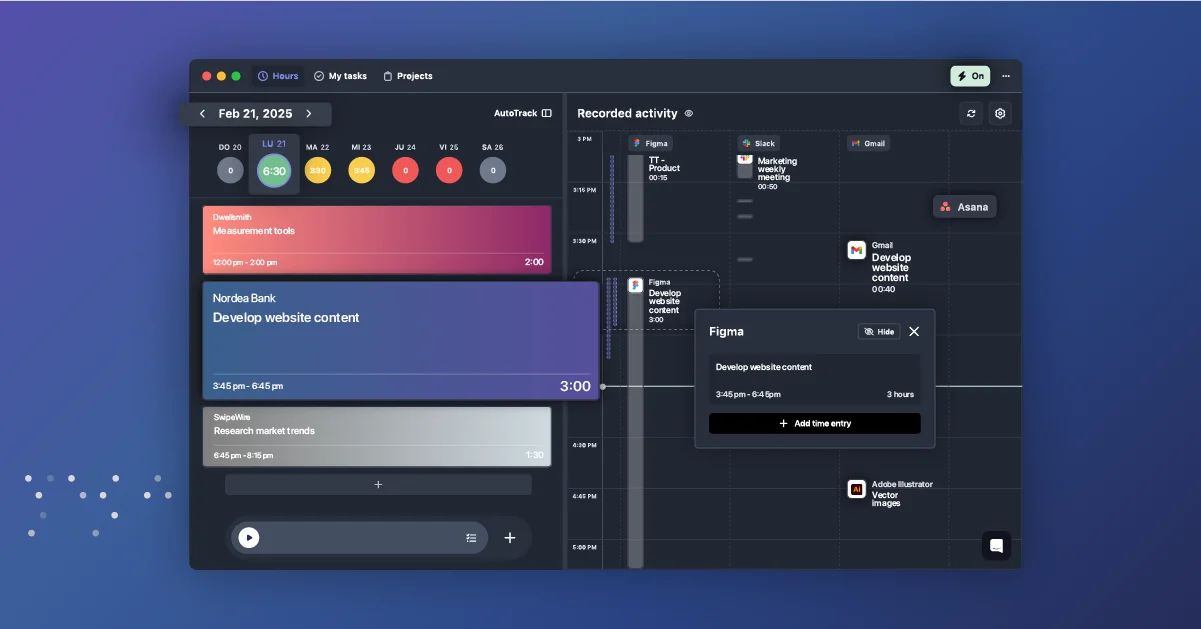
Integration is key to maximizing efficiency. Connecting your AI time tracker to platforms like Trello, Asana, or QuickBooks syncs your tasks and finances, reducing manual data transfer. Freelancers like John, who manage several projects simultaneously, benefit from such integrations by having consistent data flow from task assignment to billing. This consolidation not only saves time but minimizes errors in invoicing and payroll.
Using the Tool Effectively
Best Practices for Accurate Tracking
Consistency is vital when using AI time tracking. Recording activities immediately after task completion ensures data accuracy. Freelancers should resist the temptation to rely on memory alone, as this often leads to underreporting billable hours. Additionally, blending automated tracking with manual input for unique tasks guarantees comprehensive records. Encouraging a habit of reviewing and adjusting tracked times daily leads to more reliable reports, which in turn support better decision-making.
Analyzing Time Reports to Boost Efficiency
Once data accumulates, take time to analyze reports. Look for patterns such as time sinks or high-effort tasks that consume disproportionate hours. For example, Lisa, a freelance developer, discovered from her AI reports that communication with clients took much longer than anticipated. She decided to streamline updates via batch emails, regaining hours for coding. Regularly reviewing these insights helps freelancers refine how they allocate time, balance workload, and set realistic deadlines.
Troubleshooting and Optimization
Common Issues and How to Solve Them
Some freelancers initially face challenges like incomplete tracking when offline, or confusion over what constitutes billable time. To address this, ensure your tool supports offline mode or syncing once connected. Setting clear guidelines on billable versus non-billable hours prevents misclassification. If the app seems overwhelming, start with basic features and gradually explore advanced options as comfort grows. Remember, tools should adapt to your workflow, not the other way around.
Improving Time Tracking Accuracy Over Time
Accuracy improves with regular audits of time logs. Weekly reviews to check inconsistencies or unusually recorded times help keep data reliable. Feedback from clients can also pinpoint discrepancies affecting billing. Continuous learning about your tool’s capabilities unlocks new features such as automated alerts or AI task prioritization. For instance, using the 1-3-5 rule to plan daily tasks in conjunction with AI tracking can prevent burnout while improving focus, harmonizing human strategy with AI precision.
Conclusion: Maximizing Freelance Productivity With AI Tools
Implementing AI-based time tracking tools offers freelancers an opportunity to take control of their time like never before. These solutions tackle the age-old struggles of manual tracking inaccuracies, billing errors, and workflow inefficiencies—freeing freelancers to concentrate on their core expertise. By carefully selecting the right software, tailoring it to your unique workflow, and persistently refining your usage, AI becomes a trusted ally in boosting productivity and profitability. In the fast-paced freelance economy, embracing AI time tracking is not just smart, but essential for sustainable success.


