
Understanding CSS Modules in Vue Vite Projects
What Are CSS Modules and Scoped Styles?
CSS Modules are a way to scope CSS by automatically generating unique class names, ensuring styles are applied locally to a component without affecting others. This avoids style leakage, a common problem in traditional global CSS. On the other hand, scoped styles in Vue allow each component to have its own style block that applies only to that component, helping isolate styles and reduce conflicts. When combined, CSS Modules and scoped styles create a powerful system for maintaining clean, modular CSS in Vue projects.
Benefits of Using CSS Modules in Vue with Vite
Using CSS Modules in Vue projects built with Vite offers several advantages. First, it promotes encapsulation, allowing you to write CSS without worrying about affecting other components. Second, it simplifies maintenance by keeping styles close to the components they belong to. Vite’s fast build times and modern tooling enhance the developer experience, enabling quick feedback when styling changes. Coupled with scoped styles, CSS Modules reduce the chances of unexpected style overrides, which is particularly valuable in large applications.
Common Issues When Using CSS Modules with Scoped Styles
Style Leakage and Conflicts
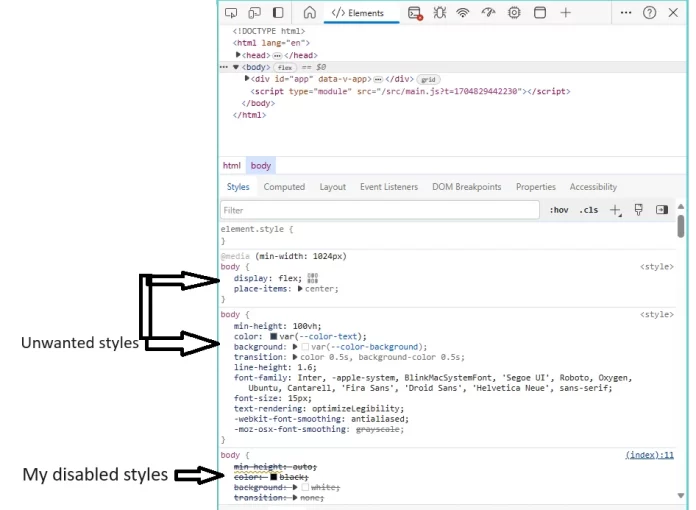
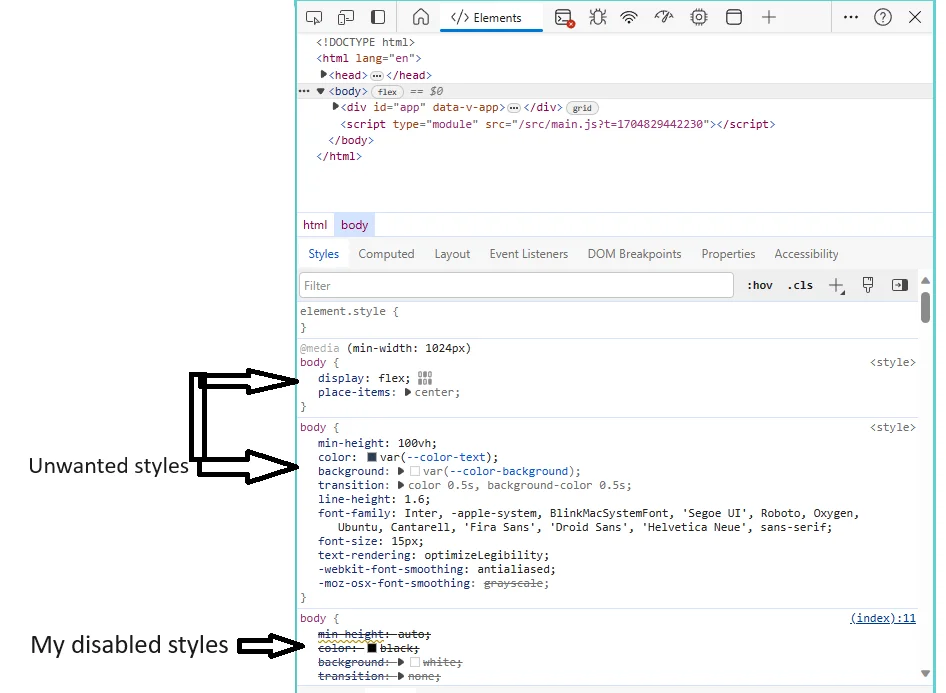
One of the common headaches when working with CSS is style leakage, where styles intended for one component inadvertently affect others. Even with scoped styles, issues sometimes arise especially when relying on global CSS or third-party libraries. Additionally, when CSS Modules aren’t configured correctly, classes may not be scoped as strictly as expected, leading to conflicts that manifest as unexpected UI glitches.
Incorrect Class Name Generation
Developers transitioning from webpack-based Vue setups to Vite often notice differences in how class names are generated for CSS Modules. Unlike webpack, Vite’s default behavior omits the module name part in generated class names, which can cause confusion. Attempts to tweak the generateScopedName option in vite.config.ts frequently lead to verbose, hard-to-read names instead of simple, predictable ones. This mismatch can break assumptions in project structure and debugging flows.
Problems with Dynamic Class Binding
Binding CSS Module classes dynamically inside Vue templates can be tricky if the class names aren’t correctly resolved. Because class names are often hashed or altered during build time, referencing them improperly in template expressions might lead to missing or incorrect styles. Combined with scoped styles, tracking down these dynamic class binding issues requires attention to how modules are imported and referenced in component logic.
Step-by-Step Troubleshooting Guide
Verifying Vite Configuration for CSS Modules
The first step in troubleshooting is to review your vite.config.ts file. Vite uses the css.modules option to control how class names are generated. If you notice odd class names or conflicts, check if you have customized generateScopedName. Current options might not reproduce webpack’s defaults exactly, producing overly verbose names. Sometimes, leaving this option unset can produce cleaner results, but it depends on your project needs.
Debugging Scoped Styles in Vue Components
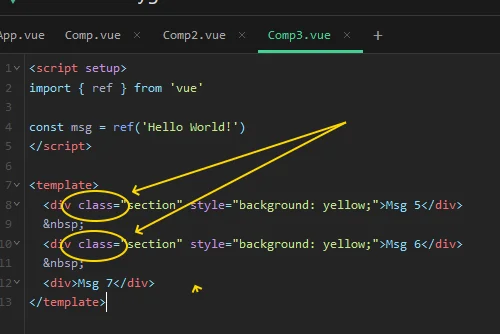
Inspecting how styles are applied inside Vue components is essential. Use browser developer tools to examine the generated class names directly in the DOM. This helps confirm whether CSS Modules and scoped styles are working as intended. Additionally, creating minimal reproducible examples can isolate whether the problem lies in the configuration, Vue’s single-file components, or Vite itself.
Resolving Class Name Collisions
If class name collisions occur, it often points toward misconfigurations or assumptions about the build toolchain. Avoid overriding default naming conventions unless necessary and be cautious with manual class naming. When collisions persist, consider adopting a stricter naming convention or leveraging community plugins designed to harmonize naming patterns between webpack and Vite. Tracking reported issues in the relevant repositories can also provide insights and potential fixes.
Best Practices to Avoid CSS Module Issues
Consistent Naming Conventions
Adopting a consistent naming convention across your Vue components helps reduce confusion and styling conflicts. Even though CSS Modules automatically generate unique class names, assigning meaningful local names in your CSS files aids readability and debugging. Combining this with descriptive component names ensures that the generated scoped classes remain understandable in the browser’s developer tools.
Using Scoped Styles Correctly
Scoped styles in Vue are generally straightforward, but it’s important to understand their limitations and proper usage. Avoid mixing global selectors inside scoped blocks unless absolutely necessary, and be mindful of parent-child component boundaries. Ensuring that scoped attributes are properly attached during compilation helps prevent styles from leaking or being unexpectedly overridden.
Leveraging Vue DevTools and Browser Extensions
Debugging styles becomes much easier when you use the right tools. Vue DevTools allows you to inspect component hierarchies and their associated styles, while browser extensions can reveal how classes are applied in real time. Familiarizing yourself with these tools accelerates identifying issues related to CSS Modules and scoped styles, saving precious development time in complex projects.
Advanced Tips for Managing CSS in Vue Vite
Integrating PostCSS with CSS Modules
PostCSS offers powerful transformations and optimizations that complement CSS Modules well. Integrating PostCSS in a Vue Vite project allows you to apply vendor prefixes automatically, use modern CSS features with polyfills, and even reuse variables and mixins. When combined with CSS Modules, PostCSS helps maintain clean, future-proof styles without sacrificing modularity.
Handling Global Styles alongside Scoped CSS Modules
Although CSS Modules and scoped styles emphasize component encapsulation, global styles still have their place, especially for resets or typography standards. Managing global styles alongside scoped CSS requires thoughtful separation. Typically, global styles are imported or linked separately, ensuring they don’t interfere with component-level modules. Establishing a clear project structure for where and how global CSS is applied prevents conflicts and keeps styles predictable.


