
Understanding Performance Challenges in Large-Scale React Applications
Common Bottlenecks in React Component Rendering
Imagine a team building a social media platform with thousands of active users interacting simultaneously. One common bottleneck they encountered was inefficient component rendering. Components that re-rendered unnecessarily slowed down user interactions, especially when dealing with intricate UI trees. This happens often when props or state changes trigger cascaded updates across multiple components, even if most of them don’t actually need to update.
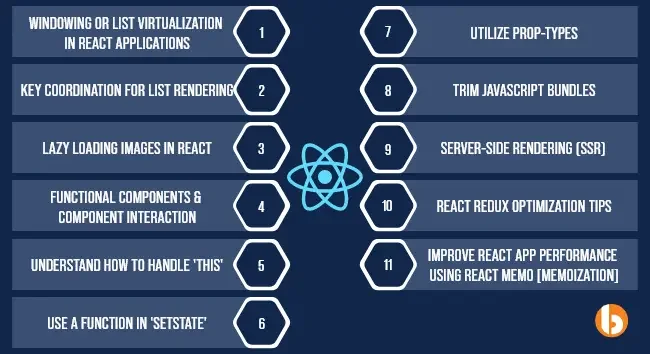
Another typical issue arises when rendering long lists without virtualization. An online news portal once faced dramatic slowdowns because their feed rendered hundreds of articles in full, causing a janky scrolling experience. React struggles when every list item is rendered regardless of visibility, overwhelming the browser’s rendering capabilities.
Impact of Inefficient State Management on Performance
In large applications, state management complexity can spiral quickly. For example, a financial dashboard that tracks multiple real-time data streams suffered from sluggish updates because it used global state for every piece of data, causing broad components to re-render unnecessarily. Inefficient state updates — where even minor changes trigger expensive component updates — can degrade performance, especially when deep or nested state is mutated directly instead of immutably.
Developers who fail to separate state logically or leverage memoization tools often see their applications slow down at scale. The key is understanding how changes in state impact component lifecycles and rendering behavior.
Techniques for Enhancing React Component Efficiency
Memoization with React.memo and useMemo
During a fintech startup’s app development, engineers applied React.memo to prevent unnecessary re-rendering of data-heavy components. By wrapping pure functional components, React skips re-renders if prop values remain unchanged. Complementing this, useMemo helped cache expensive computed values between renders, avoiding costly recalculations on every update.
This strategy proved essential when rendering complex charts that depend on large datasets. Memoization ensured the UI stayed responsive even as incoming data updated frequently in the background.
Optimizing Re-renders Using useCallback
In a collaborative document editor, callback functions passed to child components caused repeated re-renders. Developers introduced useCallback to memoize these functions, ensuring their references remained stable across renders unless dependencies changed. This prevented child components from re-rendering unnecessarily, significantly improving the app’s responsiveness when users typed or navigated quickly.
Splitting Components to Reduce Load Time
Breaking down large, monolithic components into smaller, more manageable units can reduce the initial load time and improve maintainability. For instance, a news aggregator separated its article listing page into subcomponents like filters, search bars, and article previews. This modularization allowed better control over which parts updated and optimized rendering cycles, contributing to smoother UI operation as data updated.
Advanced Performance Optimization Strategies
Code-Splitting and Lazy Loading Components
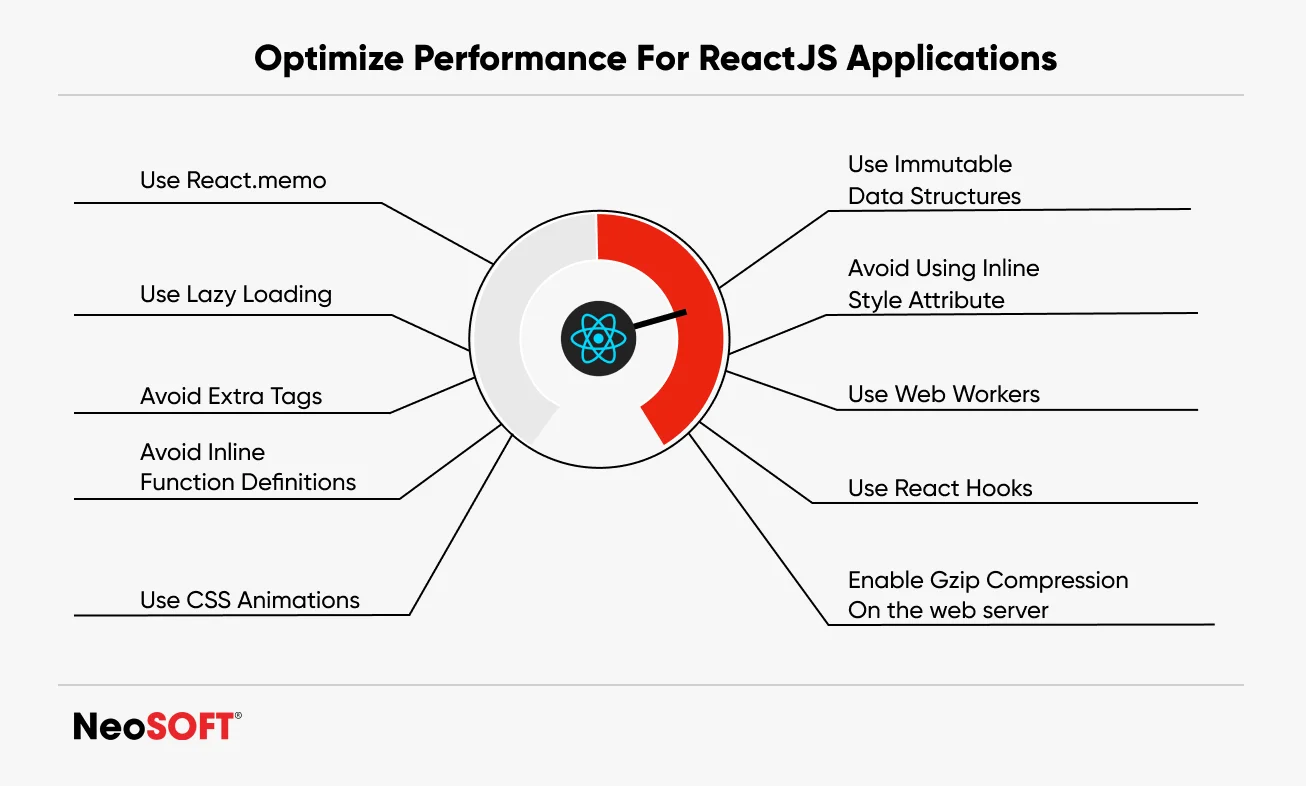
A real estate platform faced prolonged load times because it bundled all components together, including rarely used ones. By adopting code-splitting, the team dynamically loaded components only when needed using React’s React.lazy and Suspense. As a result, initial page loads became significantly faster, improving user retention and satisfaction.
This approach proves critical for large-scale apps where dozens of components exist but not all are required upfront.
Virtualization for Handling Large Data Sets
Virtualization or windowing techniques drastically reduce rendering loads for long lists. An example is an e-commerce application displaying thousands of products. By implementing libraries like react-window or react-virtualized, they rendered only the visible subset of products in the viewport, loading more as the user scrolled.
This tactic saved memory and CPU cycles, making the interface snappy even on lower-end devices, addressing one of the most notorious React performance issues.
Profiling and Analyzing Components with React DevTools
Before optimizing, measuring performance is crucial. A SaaS analytics tool incorporated the React DevTools Profiler during development to identify slow components and excessive re-renders. This profiling unearthed that a specific data visualization component caused major bottlenecks. After pinpointing this, the team optimized data flow and memoized computations, resulting in measurable user experience improvements.
The Profiler’s flamegraphs and snapshots provide invaluable insights into render frequency and duration, guiding optimization efforts efficiently.
Best Practices for State and Props Management
Choosing Between Local State and Global State Managers
In a project management app, developers initially used a global store for all UI states. This led to over-rendering since even minor changes affected unrelated components. They revised their approach by utilizing local state within components for transient UI data such as form inputs and toggles, reserving global state management for shared data like project details or user info.
This balance minimized unnecessary renders and improved scalability, demonstrating that thoughtful state placement matters immensely when performance is a priority.
Immutable Data Structures for Predictable Updates
Using immutable data structures ensures changes produce new object references, aiding React’s ability to recognize what precisely changed. In a collaborative chat app, this practice helped prevent bugs tied to direct state mutations and facilitated efficient re-renders. Tools like Immer or Immutable.js provide utilities to maintain immutability without cumbersome code, making state updates predictable and debugging easier.
Real-World Examples and Case Studies
Performance Optimization in E-commerce Platforms
A large-scale e-commerce site struggled with slow category pages due to rendering thousands of product cards simultaneously. They implemented virtualization to render only visible products and adopted code-splitting for various UI widgets like filters and sorting options. Additionally, the team ensured production deployment used optimized React builds with minification and applied build plugins correctly to reduce bundle sizes.
Post-deployment, the platform observed faster load times and reduced bounce rates, showing tangible business impact driven by solid React performance strategies.
Scaling Interactive Dashboards Efficiently
An enterprise dashboard displaying real-time metrics for thousands of users initially suffered from lag and delayed updates. By profiling with React DevTools Profiler, the team identified specific components causing excessive re-renders. They refactored these components using memoization and optimized state updates to localize changes.
Lazy loading non-critical widgets further reduced the initial rendering burden. The outcome was a highly responsive dashboard even during peak usage, proving that systematic performance tuning is vital for scalable frontend apps.


