
Identifying Common Connectivity Issues in Smart Home Systems
Symptoms of Connectivity Problems in Smart Devices
Smart home devices often show subtle signs when connectivity issues arise. Devices may become unresponsive to voice commands or fail to wake properly. Others might refuse to connect to Wi-Fi or disappear from the controlling app. Sudden battery drain in battery-powered gadgets is a notable symptom, as is irregular device activity caused by accidental commands, faulty sensors, or forgotten automations. Detecting these signs early helps maintain a seamless smart home experience.
Analyzing Network Weaknesses Affecting Smart Hubs
Connectivity problems often stem from network weaknesses such as poor Wi-Fi signal strength or interference. Placement of the hub plays a critical role; if positioned too far from devices or near walls and metal appliances, signal quality deteriorates. Using the 5 GHz Wi-Fi band for devices preferring 2.4 GHz can cause connection failures. Network congestion from too many devices further weakens performance. Understanding these factors is essential to diagnose underlying issues affecting smart hubs.
Step-by-Step Guide to Diagnosing Hub and Device Connection Failures
Checking Device Compatibility and Firmware Updates
Verifying compatibility is a foundational step. Mixing incompatible devices or using hubs that do not support certain protocols leads to persistent failures. It’s crucial to consult device manuals and manufacturer lists to confirm support. Firmware and app updates often resolve bugs and improve connectivity. Checking for and installing these updates ensures devices operate with the latest improvements and security patches.
Verifying Wi-Fi Settings and Router Configurations
Wi-Fi plays a pivotal role in smart home connectivity. Confirm that devices connect to the preferred 2.4 GHz band, as many smart devices do not support 5 GHz. Review router settings to reduce network congestion and disable unnecessary features that may interfere with device communication. Positioning the router centrally and rebooting it can restore stable connections. Adjusting security settings, such as enabling strong passwords and two-factor authentication, helps maintain safety without sacrificing connectivity.
Using Diagnostic Tools for Network Troubleshooting
Diagnostic utilities embedded in smart home apps or third-party network analysis tools provide valuable insights. They can identify weak signal zones, detect connected devices, and highlight interference sources. Using these tools allows users to methodically track down issues. Testing automation rules individually can reveal conflicts causing malfunctions. When faced with complex problems, referencing online resources or seeking advice from IT experts can offer targeted solutions.
Effective Solutions to Restore and Maintain Smart Home Connectivity
Resetting and Rebooting Smart Hubs
Power cycling the hub is a simple yet effective troubleshooting step. Unplugging and reconnecting it refreshes connections and clears temporary glitches. If problems persist, a full reset—wiping all settings—can restore factory defaults but should be used as a last resort. Removing and re-adding missing devices often resolves pairing issues. Maintaining this routine helps ensure the hub remains responsive.
Optimizing Router Placement and Signal Strength
Strategically placing the router in a central, open area minimizes obstacles and interference from household electronics like microwaves or baby monitors. For large homes, deploying mesh networks or Wi-Fi extenders enhances coverage and reduces dead zones. Ensuring devices are within effective range of the hub or router prevents disconnections. Adjusting Wi-Fi bands appropriately and upgrading hardware when necessary can significantly elevate signal quality.
Implementing Network Segmentation for Smart Devices
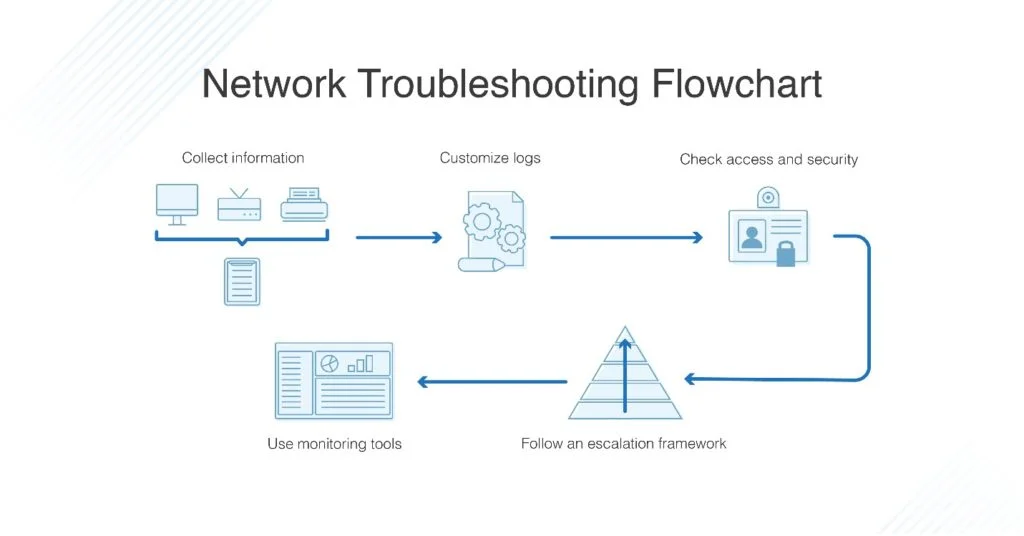
Separating smart devices onto a dedicated guest network improves security and traffic management. This segmentation reduces congestion on the primary network used for other devices, mitigating interference and performance degradation. Disabling unnecessary sharing features and using generic device names further limits risks. This structural approach provides a more reliable environment for smart home operations.
Preventive Measures for Long-Term Stability
Regular Firmware and Software Maintenance
Consistent updates are vital to long-term reliability. Firmware patches address security vulnerabilities and bugs that impair connectivity. Regularly checking app updates and reinstalling apps when issues occur maintain a fresh connection. Patience is required during initial firmware installations, as some processes run in the background. Keeping devices current prevents many common failures and ensures compatibility with evolving platforms.
Ensuring Secure and Reliable Network Access
Strong security practices safeguard both connectivity and privacy. Using unique, strong passwords and enabling two-factor authentication protects smart home networks from unauthorized access. Changing default device names and turning off sharing features reduce attack surfaces. Scheduling periodic security assessments helps identify potential vulnerabilities before they escalate. Adhering to these practices supports a stable and secure smart home ecosystem.
When to Seek Professional Help
Indicators That Require Expert Intervention
Some issues go beyond simple fixes. Persistent disconnections despite resets, unexplained random device activity, or security concerns such as hacking attempts signal the need for professional assistance. Overwhelming complexity in managing multiple devices may also hinder effective troubleshooting. When problems impact essential functions or data security, timely expert involvement is critical.
Choosing the Right Technician for Smart Home Support
Selecting a technician familiar with smart home ecosystems is important. Look for professionals experienced with a range of protocols like Zigbee, Matter, and Wi-Fi. Prefer those who offer comprehensive support, including hardware upgrades and network optimization. Seeking recommendations and verifying certifications ensure reliable service. A knowledgeable technician can provide tailored solutions, improving overall system performance and security.


